
Code navigation
Go to symbol with no language server, sticky scroll, Peek Definition, preview tabs, and related-file jumps. Move around code without losing your place.
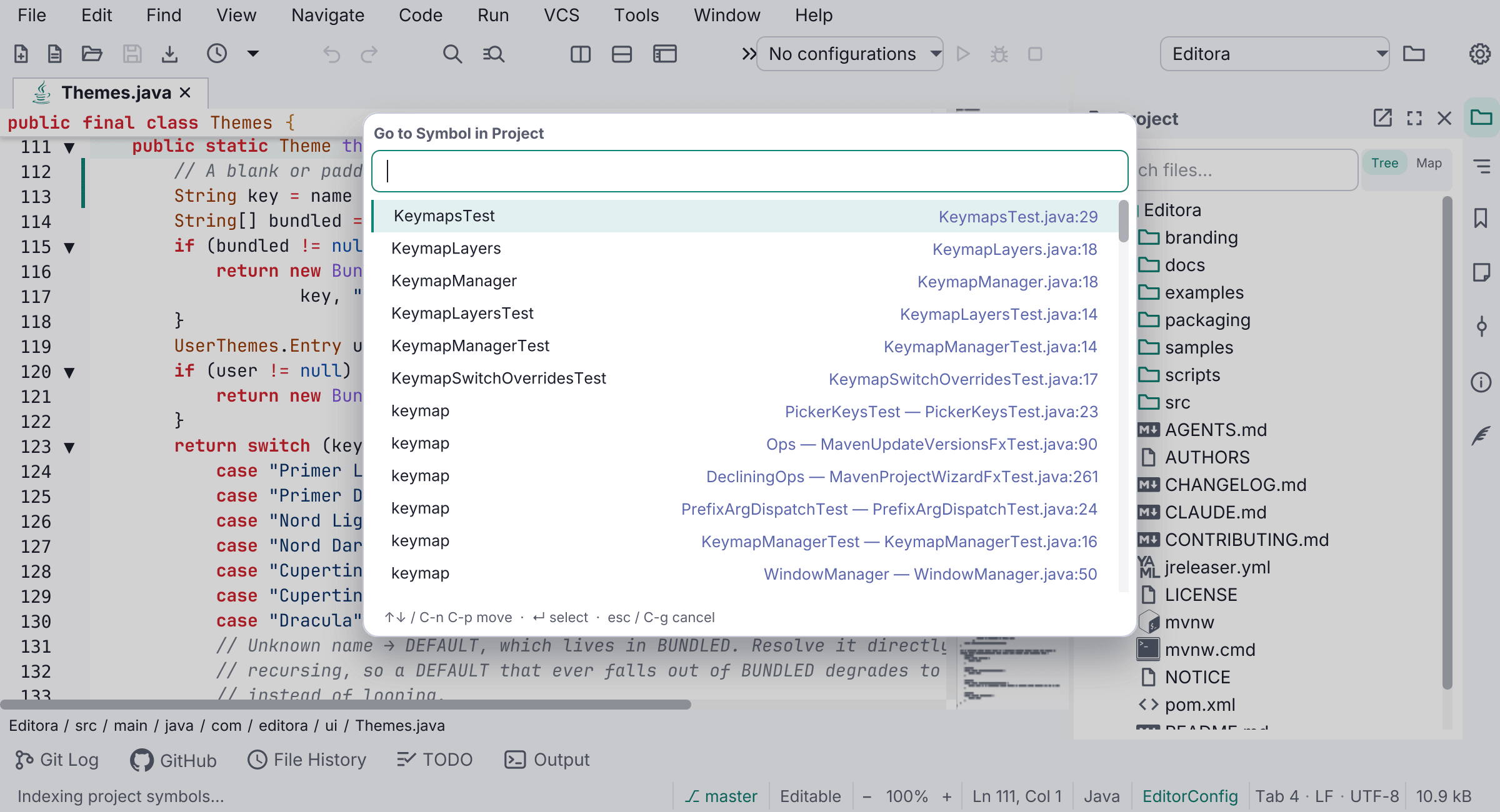
Navigation needs two things: a symbol has to be findable, and you have to be able to jump to it without losing your place.
Go to Symbol in Project handles the first with Editora’s own declaration scanner across sixteen language ids, so it works on a first run and in every language that ships a grammar but has no server. The index is built lazily on first use, so opening a project does not walk every file for someone who may never search for a symbol. After that it is incremental and rescans only the file you saved. The scanner under-reports on purpose: a missing declaration costs you one fallback to search, while an invented one would make the results untrustworthy. A running language server gives better results and takes precedence.
The rest help you keep your place:
- Sticky scroll pins the enclosing scope headers above the viewport, so deep in a long method you can still see what it belongs to.
- Peek Definition shows a definition over the editor and leaves your place, scroll and tab count where they were. Enter commits to the real jump.
- Preview tabs reuse one tab while you browse instead of opening one per file. The reused slot’s title is italic, and editing or explicitly opening the file promotes it.
- Recent Locations lists the session’s trail with the line you were on, and previews as you arrow through it.
- Go to Related File pairs a file with its counterpart: a test and its subject, a header and its implementation, a component and its stylesheet.
See Code navigation.