
Editora
IDE power at text-editor speed
A keyboard-driven editor where every action is a command, a keystroke or a fuzzy M-x search away. Pick your keymap (Emacs, VS Code, Sublime, IntelliJ, CUA) or bind your own. Fast, cross-platform, and quiet: no accounts, no telemetry.
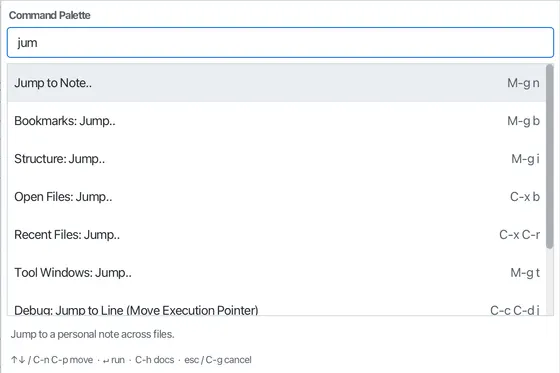
The command palette, animated. Every action is searchable and rebindable.
A look at the editor
The actual editor: a Java file with syntax highlighting, folding markers in the gutter, the minimap, the Project tool window, and a status bar that stays out of your way.

Why Editora
A keyboard-first editor for people who'd rather keep their hands on the keys. Free, open source, and the same on macOS, Windows, and Linux.
Keyboard-first
Every action is a command you can bind or fuzzy-search. There are five rebindable keymaps: Emacs, VS Code, Sublime, IntelliJ, and CUA. Macros, multiple cursors, and a prefix argument are built in.
A full IDE, no bloat
23 language servers and step debugging (both Beta, switched on in Settings), git & GitHub, run & test, all in one app that stays responsive on huge files. It needs no account or subscription and sends no telemetry.
Previews everything
Markdown, Mermaid, CSV grids, diagrams, PDFs, and more (15+ formats in all) render live beside the source, without an external browser.
One editor, four ways to run it
Editora scales with the task instead of asking you to pick a tool. The same app goes from a blank page for writing to a full IDE and back without reopening anything.
Zen
FocusOnly the text. Every bar, the gutter, and the minimap are hidden. Whatever you have switched on is still running behind it.
- Nothing but your file
C-c z Expert
FocusWindow chrome disappears, the editor stays whole: line numbers, minimap, status bar, current-line highlight.
- Line numbers
- Minimap
- Status bar
C-c C-e Simple UI
PlainA plain text editor. Familiar toolbar and tabs, no gutter, and the heavy machinery switched off entirely.
- Toolbar + tabs
- No LSP, git, or debug
View: Toggle Simple UI Mode Full IDE
EverythingThe whole interface: git and GitHub, build tools and live previews out of the box, plus 23 language servers and step debugging (both Beta) once you switch them on in Settings.
- Tool windows
- Gutter + minimap
- Every feature available
Default layout
Zen and Expert only hide the interface; everything keeps
running underneath. Simple UI is the one that switches the heavy
features off. Each is a palette command away (Zen and Expert also have a chord
in the Emacs keymap, shown above), and Editora can launch straight into any of
them (--zen, --expert, --simple).
Download Editora Free and open source, for macOS, Windows, and Linux. See how it compares.
Uses the tools you already have
Editora doesn't bundle its own copy of your toolchain. It shells out to the CLIs already on your machine, so you get your versions and your config. Git, Mermaid, the diagram tools and Typst stay out of sight until their tool is found; language servers and debugging are opt-in (both Beta).
-
gitVersion control, blame, diffs -
ghPull requests, issues, CI runs -
ripgrepFaster Find in Files -
23 language serversCompletion, diagnostics -
Debug adaptersJava, Python, JavaScript -
mmdcMermaid diagrams -
dot / plantumlGraphviz and PlantUML -
typstTypst documents -
mvn / gradle / npmBuilds, tests, tasks
Doctor
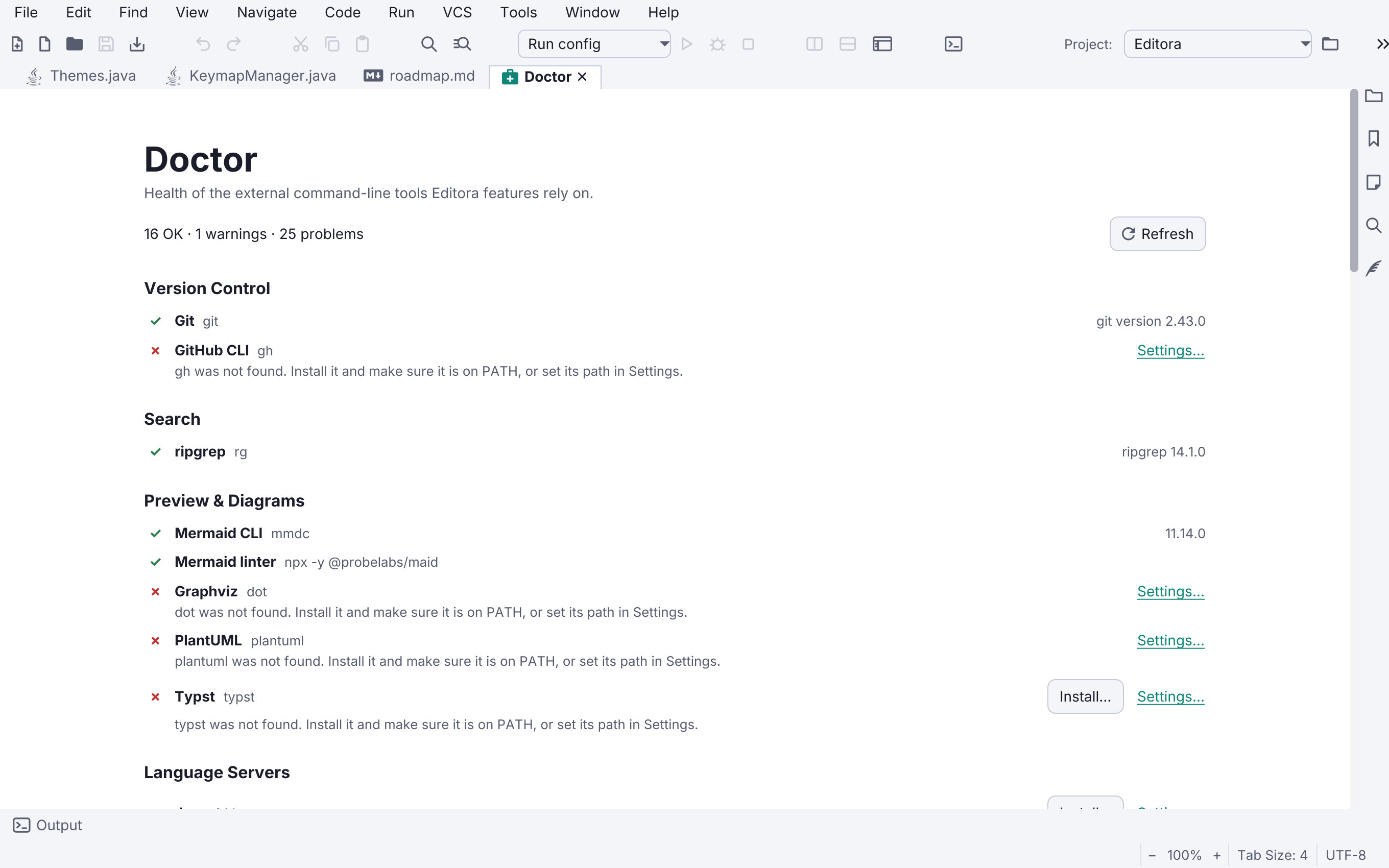
Because the tools live outside the app, Editora ships a health screen
that shows exactly what it found. Every integration is listed with its
version and resolved path, warnings for anything half-configured (a
gh that isn't signed in, a JDK too old to run a file), and
a red row for what's missing.
Missing tools that Editora knows how to fetch get an Install… button right there, and the whole screen re-checks live, without a restart.
Run it from the palette: view.doctor ·
More about Doctor
What's new
A few of the most recent changes. See everything that's shipped.
- A faster editor : Typing, switching tabs, opening files and restoring a session all do less work, and a large file takes less memory. A restored session draws its first frame before building the tabs you are not looking at.
- Local History, reworked : A compact panel with keyboard actions and a diff that follows your edits. Restoring goes into the open tab as an edit you can undo, and one large file cannot push other files' history out.
- Clickable code lenses : A click on a lens opens what it counts. A references lens opens the References tool window, whose previews are colored like the editor.
- Git history and branches : Enter on a commit in a file's Git history opens what it changed in that file, and the branch dropdown's sections fold.
- MCP open_file stays in the project : An MCP client can open only files inside the window's project, and cannot edit the editor's configuration or version-control metadata.
Features
Keyboard & commands
Command-driven core
Every action is a registered Command, bound to a chord or one M-x search away. There are 700+ commands and no hidden actions.
Keymaps your way
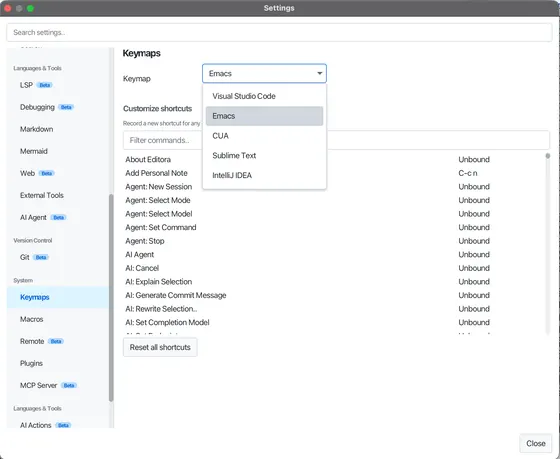
Pick Emacs, CUA, Sublime Text, VS Code, or IntelliJ IDEA. Switch live with no restart, or rebind any command yourself in the built-in keybinding editor (multi-key chords like C-x C-s supported).
Search Everywhere
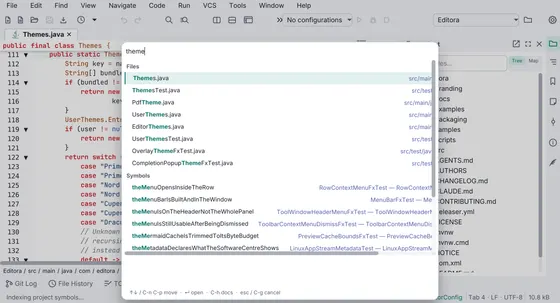
One picker over commands, files and symbols. Type the name of the thing instead of first choosing which finder it lives in. A >, # or @ prefix narrows it when you already know.
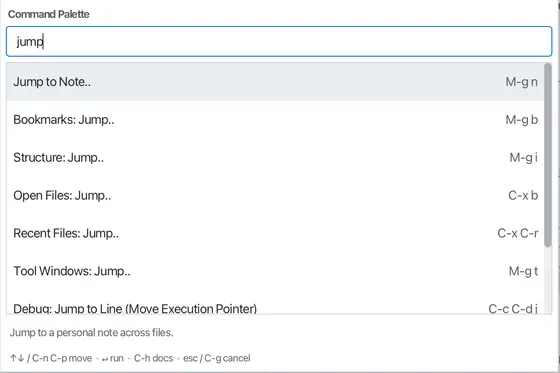
Jump-to popups
Fuzzy-jump to recent files, symbols, open tabs, and tool windows, plus an Emacs find-file-style path finder.
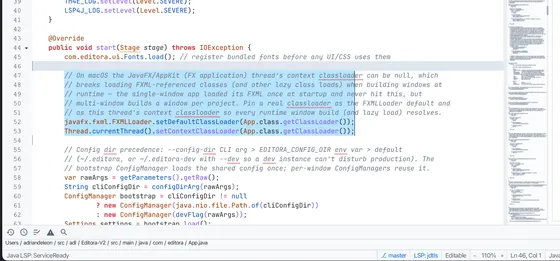
Multiple cursors
Add a caret at the next occurrence, above/below, or on every occurrence at once, or Alt-drag a column/box selection to edit many places at once, VS Code-style.
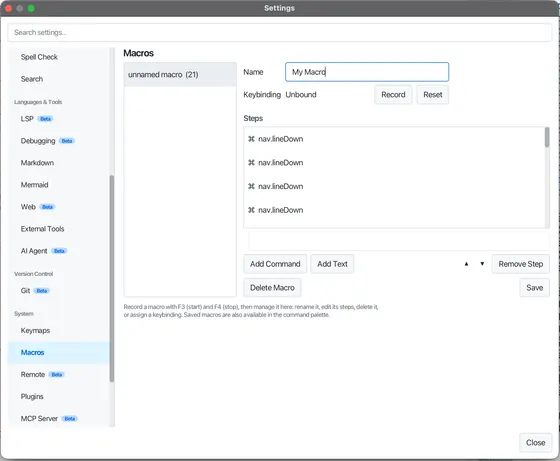
Keyboard macros
Record a sequence of edits and replay it: F3 to start, F4 to stop, C-x e to replay. Name and save macros, and bind them to keys.
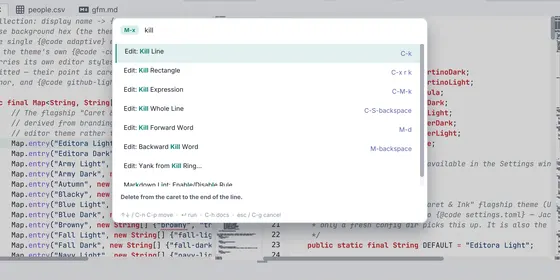
Emacs heritage
The Emacs editing model, not just its keybindings: a kill ring and a mark ring, C-x r rectangles, narrowing, query-replace, C-u prefix arguments, and structural sexp motion. Emacs is the default keymap.
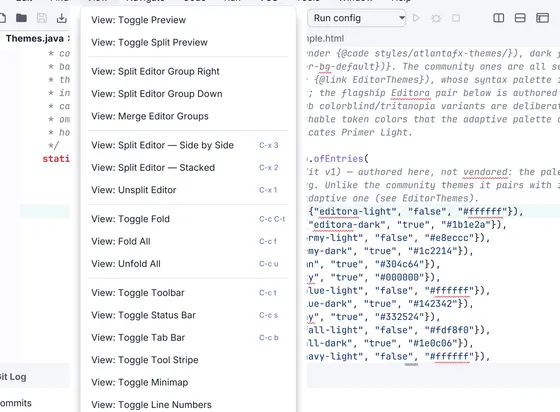
A menu bar, over the same commands
File / Edit / Find / View / Navigate / Code / Run / VCS / Tools / Window / Help menus, built over the command registry, so every item shows its live keybinding. Hide it in one keystroke.
Editing
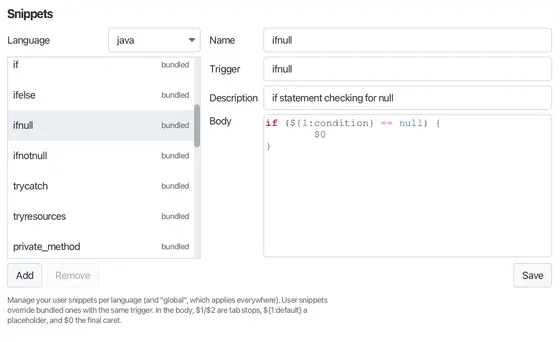
Snippets
Expand VS Code / TextMate templates with tab stops, mirrors, choices, and variables, all from a prefix + Tab. Ships for 30 languages.
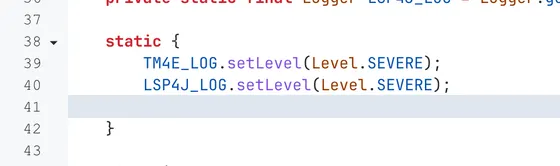
Smart indentation
Per-language auto-indent on Enter (block openers, matching-pair stanzas, closer re-alignment), plus smart backspace that clears a whole indent level in one press.
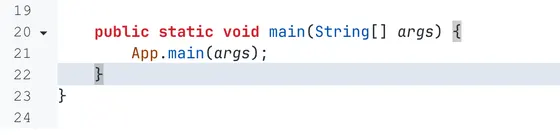
Auto-close & bracket matching
Typing ([{ or quotes inserts the closer, type-over to skip, wrap a selection, and Backspace clears an empty pair. The bracket beside the caret is highlighted with its match.
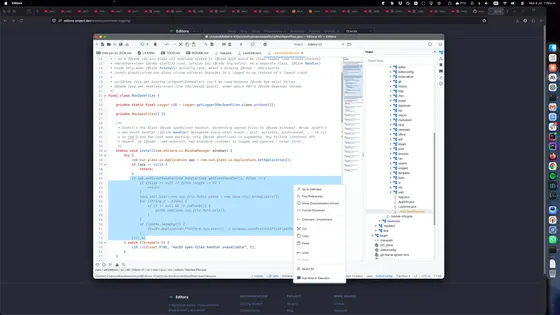
Comment toggling
M-; comments or uncomments the line or selection using the language's syntax (//, #, <!-- -->, /* */, --, …).
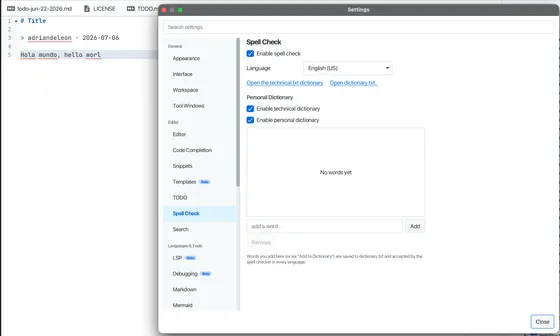
Spell checking
Red wavy underlines with right-click suggestions, Add-to-Dictionary, and Ignore: full text for prose, comments & strings for code, set per file type. Pure-Java Hunspell; English, Spanish, French.
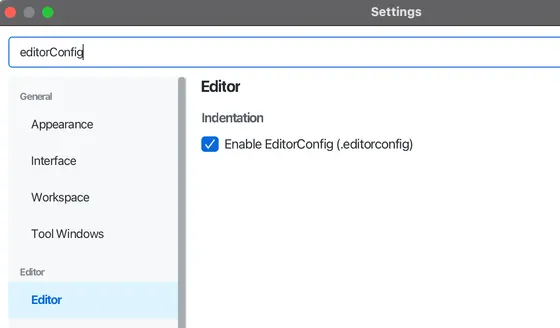
EditorConfig
Honors a project's .editorconfig: indent style/size, tab width, end-of-line, charset, max line length, and on-save trim / final-newline. On by default.
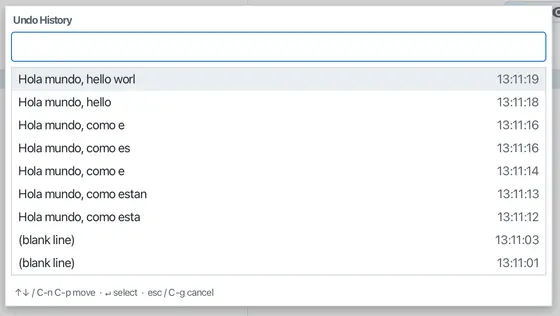
Undo History
An in-session timeline of document checkpoints (one per typing burst). Jump back to any recent state from a filterable popup (M-g v) or the tool window (M-g u).
Code intelligence
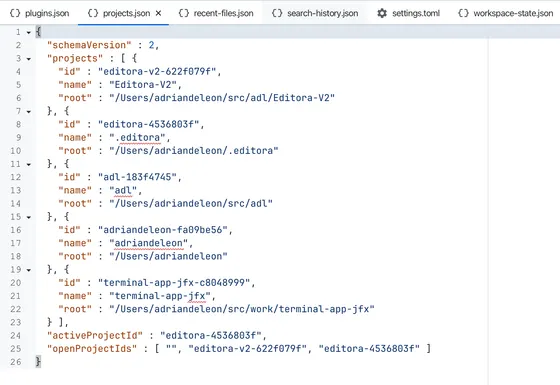
Syntax highlighting
TextMate grammars (via tm4e) for Java, Astro, Python, Rust, Go, Kotlin, C/C++, C#, Ruby, SQL, Markdown, and more.
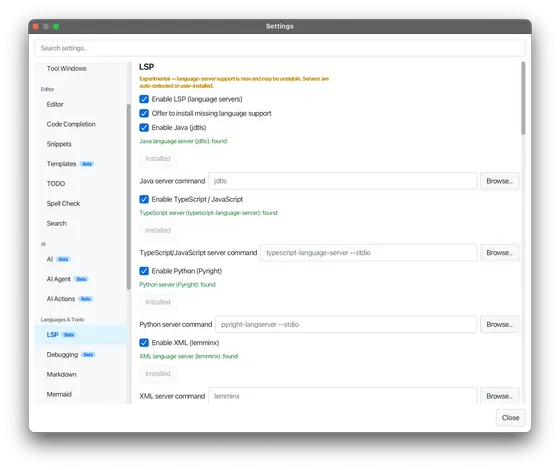
Language servers (LSP) Beta
Go-to-definition, code actions, rename, signature help, inlay hints, hierarchy, diagnostics and completions via 23 language servers (Java, Astro, TypeScript, Python, Go, Rust, C/C++, and more), auto-detected, never bundled.
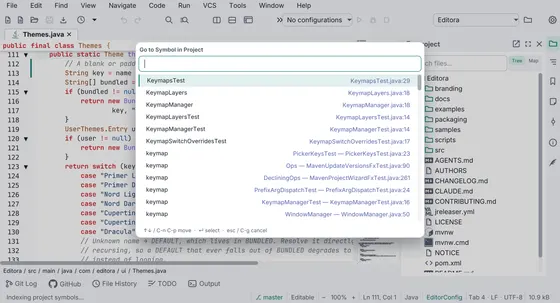
Code navigation
Go to symbol with no language server, sticky scroll, Peek Definition, preview tabs, and related-file jumps. Move around code without losing your place.
Autocomplete
As-you-type completion: a popup for code (LSP + snippets) and inline ghost text for prose. Trigger with C-M-i / M-/.
Run & debug
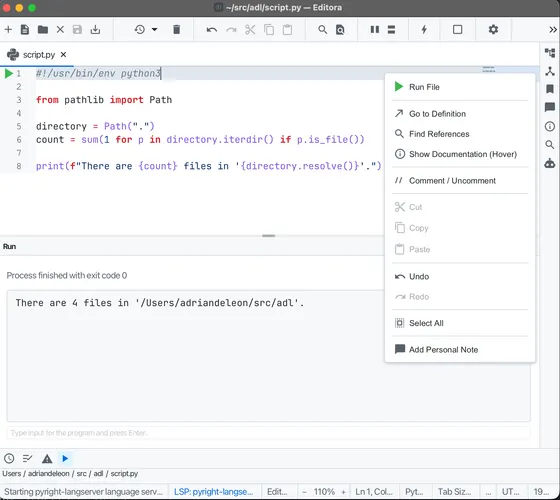
Run files & main classes
Run a script, or a Maven/Gradle project's main class, from a gutter ▶. Output and stdin go to the Run console, with clickable stack traces and saved run configurations.
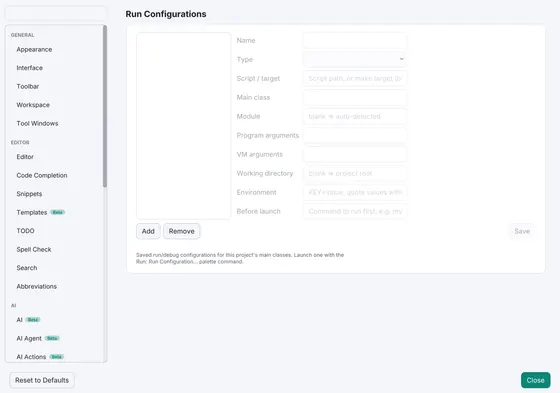
Run configurations
Save how a Java main class, Python or shell script, make target, or named npm script is launched, in a dedicated window, with a before-launch step and a shareable project file.
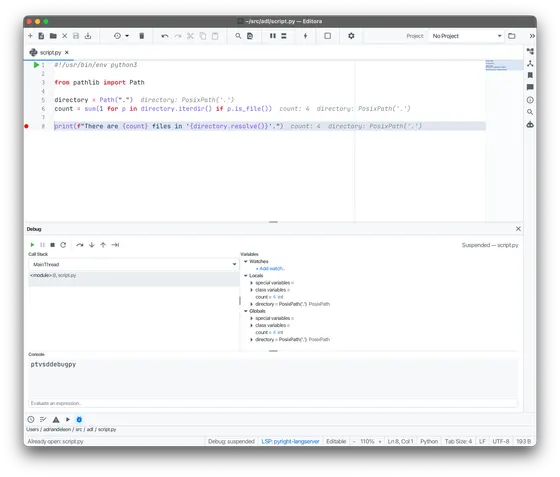
Debugging (DAP) Beta
Full debugging for Java, Python, and JavaScript: breakpoints, step in/over/out, watches, set-value, run-to-cursor, inline values, and an interactive console.
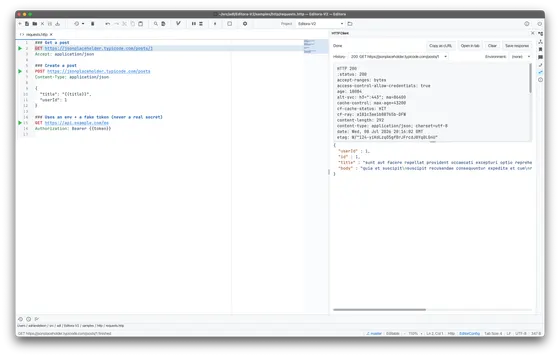
HTTP client
Run .http / .rest requests from a gutter ▶, with environments, variables, request chaining, and a formatted response view. Built on the JDK HTTP client.
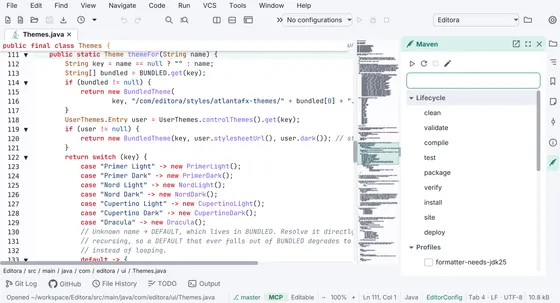
Build tools
Maven, npm, Cargo, Go, and Gradle each get a tasks tool window and a streaming console.
Git & diff
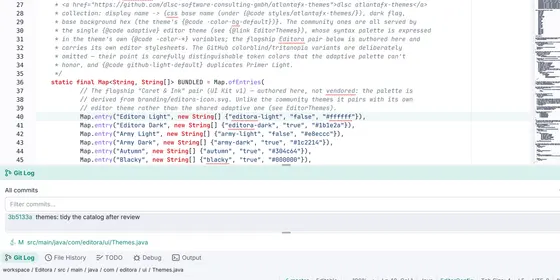
Git integration
Native Git: status-bar branch, gutter change bars vs HEAD, a Commit tool window, merges and rebases with a conflict resolver, branches, remotes, tags, stashes and patches, a paged log with a commit graph, and blame.
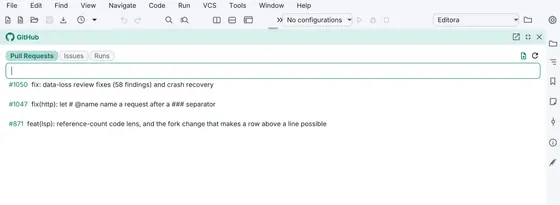
GitHub integration
Review and check out pull requests, submit reviews, open a file on GitHub at the caret line, and jump from a failed CI log straight to the offending line. Uses your own gh CLI, so Editora never handles a token.
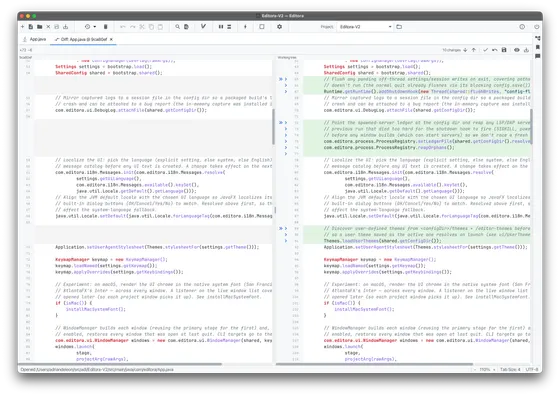
Diff & merge
A multi-file diff workspace for files, folders, patches, and Git changes, with smart alignment, hunk actions, editable results, and true three-way merge resolution.
Docs & diagrams
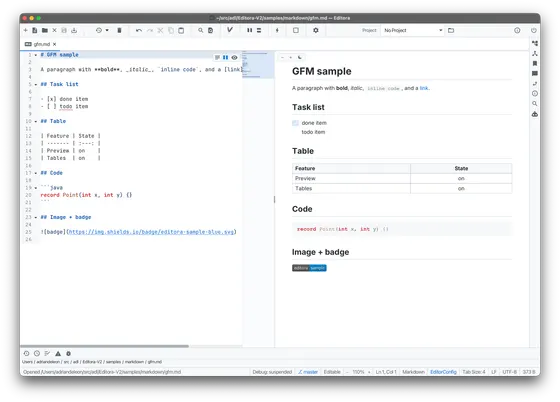
Markdown preview
A 3-mode view rendered natively with CommonMark + GFM: task lists, code pills, images, LaTeX math, a heading outline, linting, and export to PDF, HTML, Word, and ODF. Live and theme-matched.
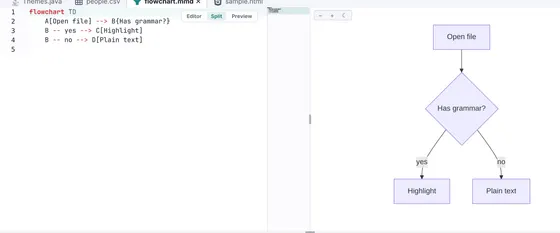
Mermaid diagrams
Render Mermaid diagrams inline in Markdown and in standalone .mmd files, with live linting and export to SVG / PNG / PDF.
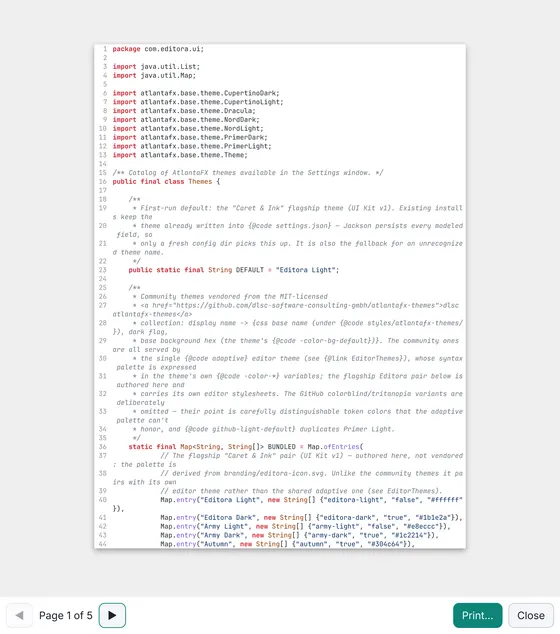
Export & print
Export code, a selection, or the Markdown preview to a syntax-highlighted PDF, HTML, MS Word, or ODF, or print with a preview. Light-themed and generated off-thread.
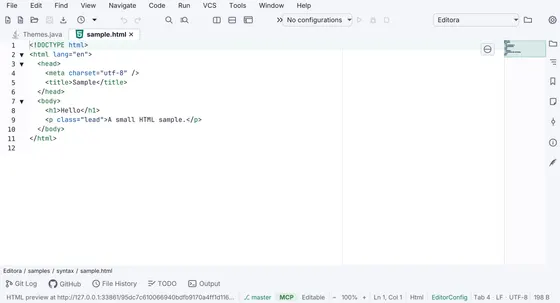
HTML live preview
Click the globe on any HTML file to open it in a detected browser (Safari, Chrome, Firefox, Edge…), served over a loopback web server with live-as-you-type reload. Sibling CSS, JS, and images included.
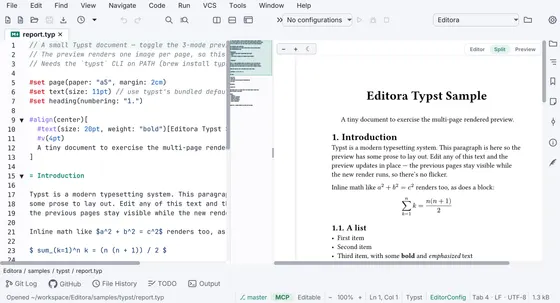
Typst
A 3-mode preview for .typ files rendered by the Typst CLI, a tinymist language server, Markdown-style editing, and export to PDF / PNG / SVG.
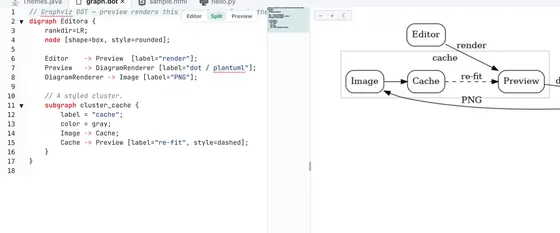
Diagrams as code
A 3-mode preview for Graphviz DOT (.dot/.gv) and PlantUML (.puml) files via the dot / plantuml CLIs, with export to SVG / PNG / PDF.
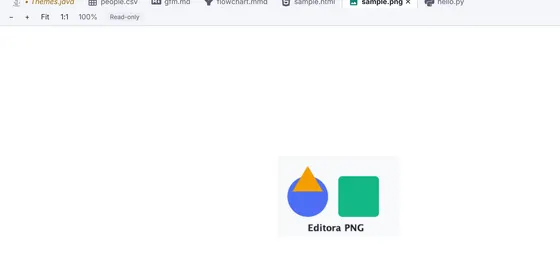
Smart file previews
Open a data or config file and get a rendered or plain-English preview: JSON/YAML/TOML/XML trees, OpenAPI docs, and decoded systemd, ssh, Dockerfile, fstab, crontab, and GitHub Actions files.
Workspace & files
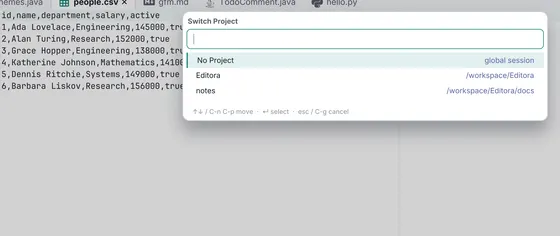
Project Map navigation
Explore a project as a file tree or a spatial canvas: focused columns, pan and zoom, live filters, and connected code and Personal Notes cards.
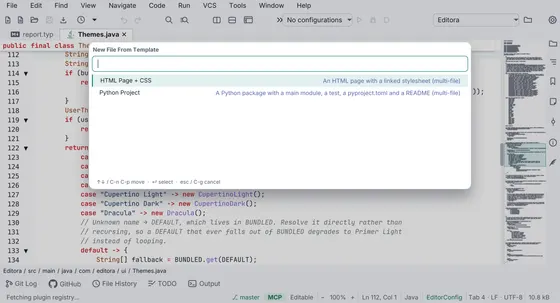
Starting a project
Generate a Maven project from an archetype, git init a folder without a terminal, and create any of about fifty file types from the Project tree with the right package declaration already written.
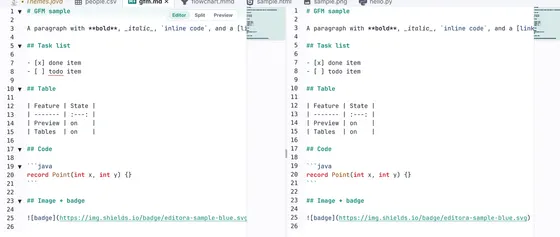
Editor groups
Split the editor into independent groups with their own tabs to see two files at once, nest the splits, drag a tab between them, and get the whole arrangement back on the next launch.
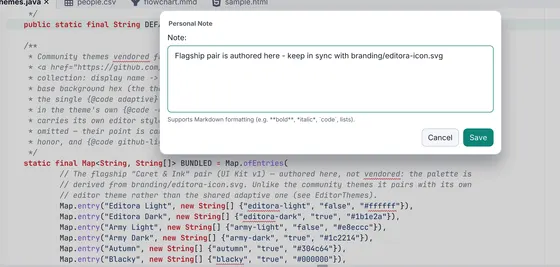
Bookmarks & notes
Bookmarks and Markdown Personal Notes for lines, ranges, files, and folders, stored outside source and navigable across a project.
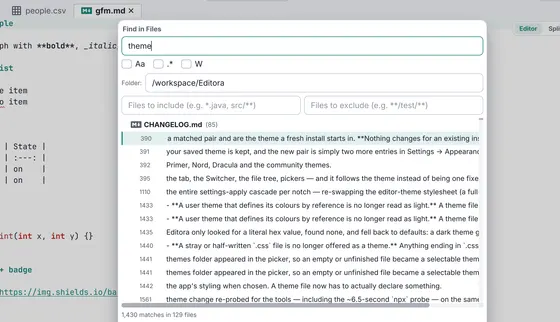
Find in files
Project-wide search and replace with a results panel, plus AceJump to leap the caret to any visible spot by typing a label.
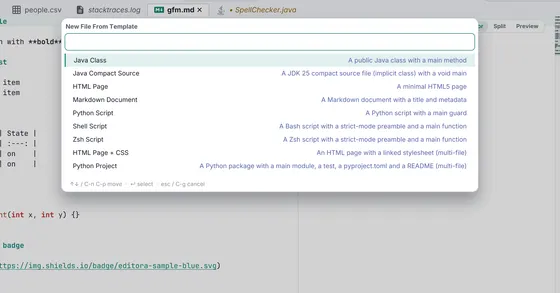
File templates
New File From Template: single- or multi-file scaffolds that ask for their variables (author, date, file name, …).
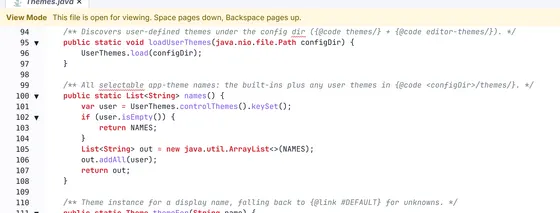
Read-only / View mode
Toggle a buffer read-only to browse without editing; pager-style Space/Backspace paging and a Word-style View Mode banner.
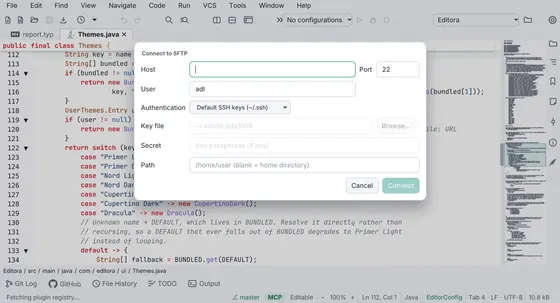
Remote files (SFTP) Beta
Browse, edit, search, and save files on a remote host over SSH/SFTP. The project tree, search, bookmarks, and notes all work over the wire.
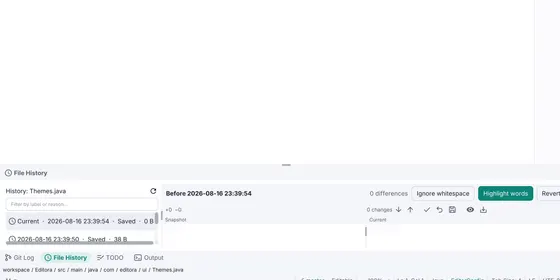
Local History
Snapshots of your files over time, taken on save, auto-save, and before an external reload, so you can diff or restore an earlier version with no Git required.
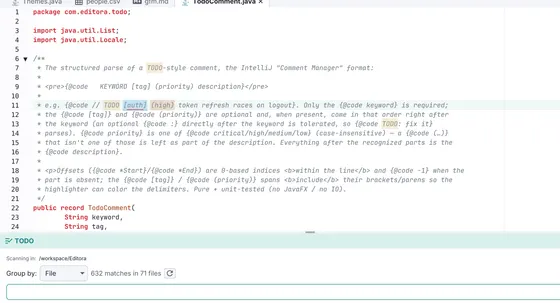
TODO highlighting
Configurable regex patterns (TODO, FIXME, and your own) are highlighted in the editor and collected in a TODO tool window, with scrollbar and minimap stripes.
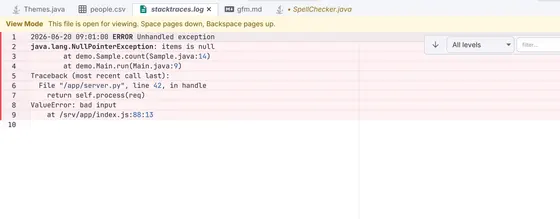
Server log viewer
Open a log file for severity highlighting, a tail -f Follow button that survives rotation, open-at-the-tail for huge logs, and live level + regex filtering.
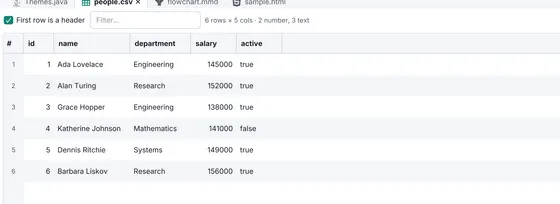
CSV & TSV support
Rainbow per-column coloring, a field readout, and an editable CSV grid with sort/filter, print, and export to PDF/Excel/ODF, plus align/shrink and Markdown-table interop.
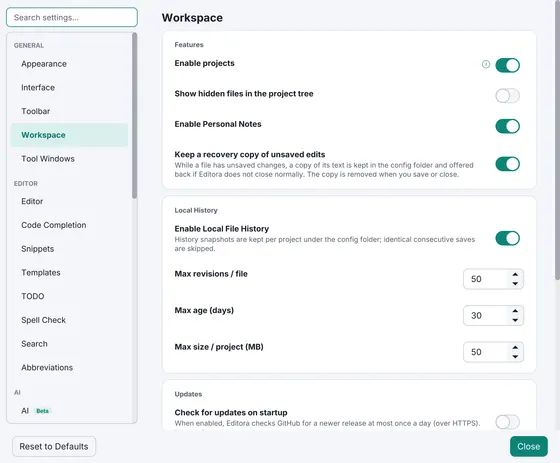
Crash recovery
Unsaved edits, including untitled buffers, are kept while you work and offered back on the next launch if Editora did not close normally. Restoring never writes to your files.
Customization & extensibility
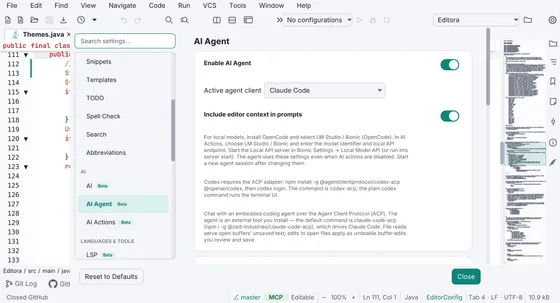
AI assistance Beta
One-shot AI actions (explain, rewrite, commit message, inline completion) and an embedded coding agent over ACP. Anthropic, Codex, or a local model. Off by default.
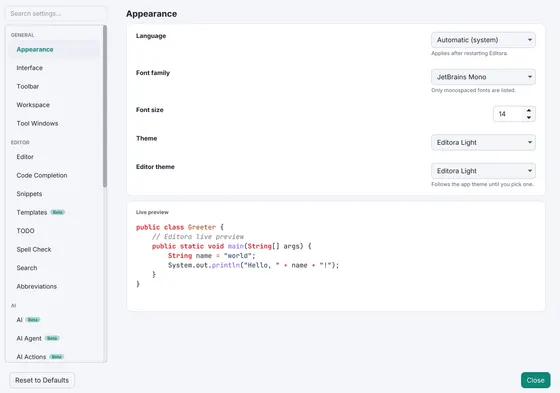
Themes & fonts
Editora Light and Editora Dark, plus 26 more (Primer, Nord, Cupertino, Dracula and the community set). Five bundled monospace fonts, no install needed, and you can drop in a theme of your own.
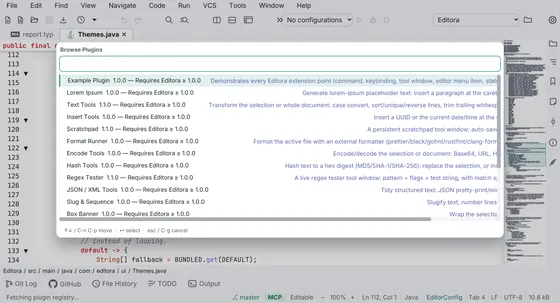
Plugins
Extend the editor with commands, tool windows, and integrations. Install from a built-in registry of 19 plugins, or write your own (Java or a simple manifest).
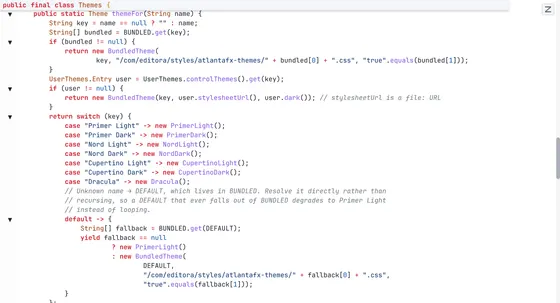
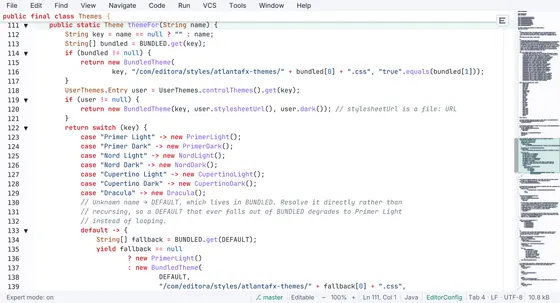
Zen mode
Hides every bar, the line numbers, and the minimap, leaving only the text. Everything you have switched on keeps running.
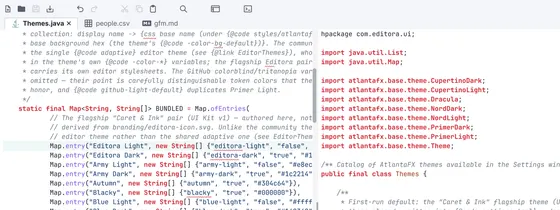
Expert mode
A lighter focus mode than Zen: the toolbar, tabs, breadcrumb, and tool stripes go, while line numbers, the minimap, the status bar, and the menu bar stay.
Simple UI mode
One toggle strips the editor to the essentials, hiding the extra toolbar groups, tool-window stripe, breadcrumb, gutter, and minimap for a calm, minimal surface.
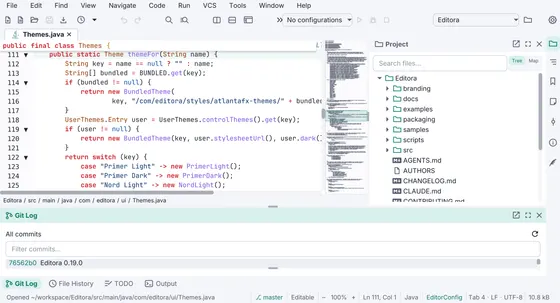
Full IDE
The default layout: menu bar, toolbar, tabs, tool windows, gutter, minimap, and status bar, with every feature available.
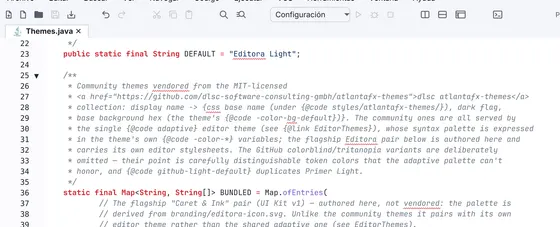
Localized UI
The whole interface is translated into English, Italian, Spanish, French, Portuguese, and German, selectable in Settings → Appearance.
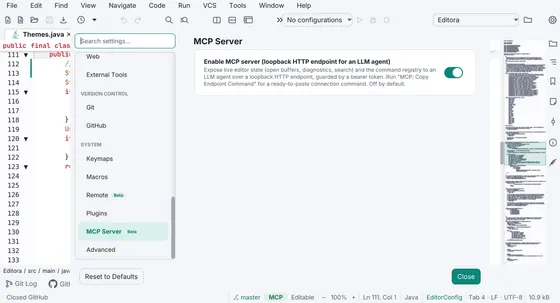
MCP server Beta
Embed a Model Context Protocol server in the running editor so an LLM agent (Claude Code, …) can observe live state and drive the command registry. Loopback-only, token-authed, off by default.
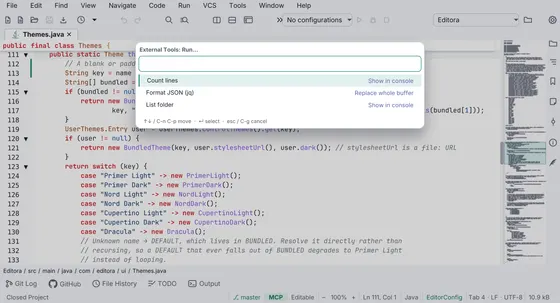
External tools
Define your own CLI commands and run them on the current file or buffer, with $Name$ macros, stdin piping, and output to a console or back into the text.
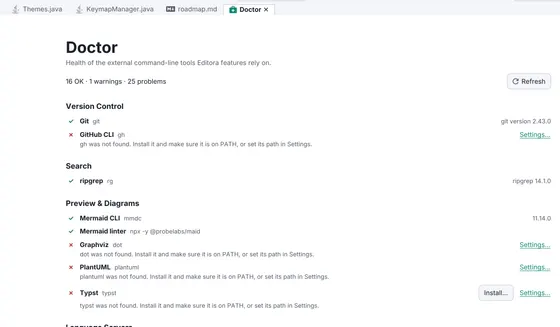
Doctor
A health screen for every external tool Editora can use: what was found, which version, where it lives, what's only half-configured, and what's missing, with an Install… button where Editora can fetch it for you.
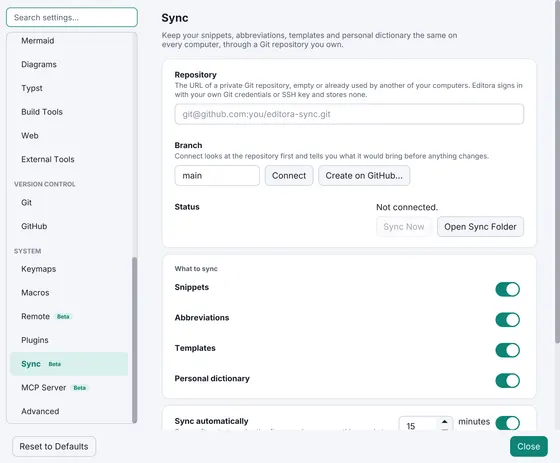
Settings sync Beta
Keeps your snippets, abbreviations, templates and personal dictionary the same on every computer, through a private Git repository you own. Off by default.
Works with your stack
Syntax highlighting for dozens of languages, and completion, go-to-definition, and diagnostics from 23 language servers. Live previews cover the formats you read most.
Languages 25
- Jv Java
- JS JavaScript
- TS TypeScript
- Py Python
- Go Go
- Rs Rust
- C C
- C+ C++
- C# C#
- Rb Ruby
- PHP PHP
- Kt Kotlin
- Lua Lua
- <> HTML
- CSS CSS
- {} JSON
- YML YAML
- XML XML
- TML TOML
- SQL SQL
- sh Shell
- Dk Dockerfile
- Tf Terraform
- Ty Typst
- As Astro
Covered by 23 language servers, plus TextMate syntax highlighting for many more.
Live previews 15+
- Markdown
- Mermaid
- CSV grid
- SVG
- Graphviz DOT
- PlantUML
- Typst
- JSON / YAML / TOML tree
- XML tree
- OpenAPI
- GitHub Actions
- Markwhen
- Images
- Hex
Your keymap, your keys
Bring the muscle memory you already have. Pick a keymap and every shortcut follows, or rebind any command to whatever you like.
| Action | Emacs | CUA | Sublime Text | VS Code | IntelliJ IDEA |
|---|---|---|---|---|---|
| Command palette | M-x | C-S-p | C-S-p | C-S-p | C-S-a |
| Save | C-xC-s | C-s | C-s | C-s | C-s |
| Go to file | C-xC-f | — | C-p | C-p | C-S-n |
| Find in file | C-s | C-f | C-f | C-f | C-f |
| Find in files | C-S-f | C-S-f | C-S-f | C-S-f | C-S-f |
| Replace | — | C-h | C-h | C-h | C-r |
| Toggle comment | M-; | C-/ | C-/ | C-/ | C-/ |
| Duplicate line | — | C-S-d | C-S-d | M-S-down | C-d |
| Move line up | — | M-up | M-up | M-up | M-S-up |
| Undo | C-/ | C-z | C-z | C-z | C-z |
| Go to definition | M-. | — | f12 | f12 | C-b |
| Go to line | M-gg | C-g | C-g | C-g | C-g |
Windows/Linux chords are shown; macOS mostly substitutes ⌘. Every binding is editable in Settings, and a blank cell just means that keymap leaves the action to the palette.
Make it yours
Ships with 25+ editor themes (and you can add your own). Try a few here and the whole site recolors to match.
Built for speed
Editora keeps the UI thread free. Work happens incrementally, off the UI thread, and only on what is visible.
Download
Native installers for macOS, Windows, and Linux are attached to each release, along with self-contained runnable jars for Windows and Linux.
Native installer (bundles a Java runtime, nothing else to install), or a
self-contained java -jar on JDK 25.
Installers are currently unsigned. On macOS 15 and later, the first launch is blocked: open System Settings → Privacy & Security and click Open Anyway. On Windows, if SmartScreen appears, choose More info → Run anyway.
Build & run from source
Requires JDK 25+. A Maven wrapper is bundled, so no local Maven install is needed.
# Clone
git clone https://github.com/adriandeleon/Editora.git
cd Editora

# Run the app
./mvnw javafx:run

# Build a native installer (DMG / MSI / DEB)
./mvnw clean -Pdist package

# Build a self-contained runnable jar
./mvnw -Pfatjar package
java -jar target/Editora-*.jar
Built in the open with the help of AI coding tools. Every change lands as a reviewed, tested commit on GitHub.