
Language servers (LSP) Beta
Go-to-definition, code actions, rename, signature help, inlay hints, hierarchy, diagnostics and completions via 23 language servers (Java, Astro, TypeScript, Python, Go, Rust, C/C++, and more), auto-detected, never bundled.
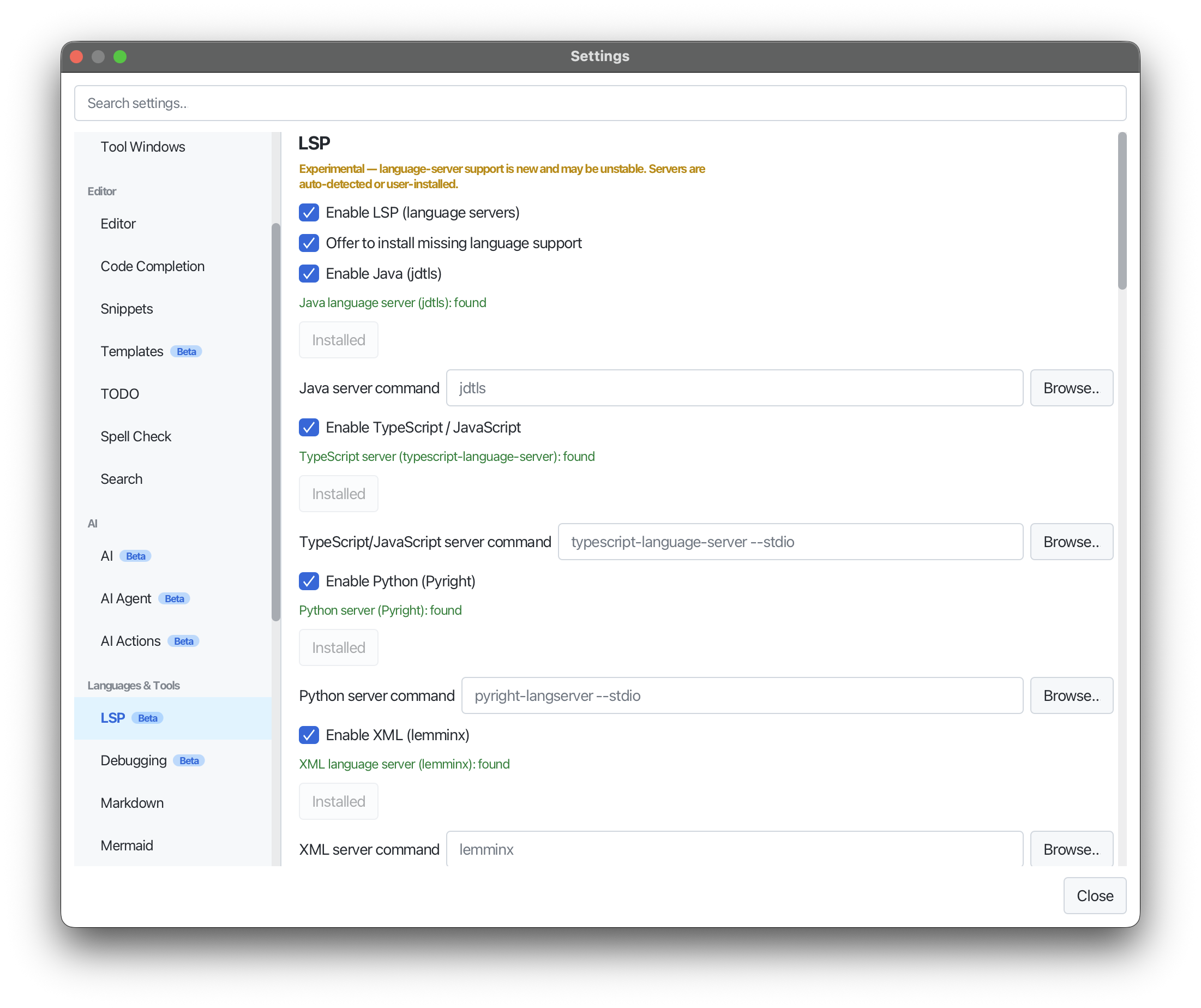
Editora supports the Language Server Protocol, both the requests that read your code and the ones that change it.
- Go to definition:
M-., or Ctrl/Cmd-click a symbol, and it works from inside an opened JDK or dependency source tab too - Go to implementation / type definition / declaration, offered only where the server supports them
- Find references:
M-?, listed in a browsable References tool window that shows each line with the editor’s syntax highlighting - Call and type hierarchy in a Hierarchy tool window, each level fetched as you expand it
- Go to Symbol in Workspace: search any symbol across the project and jump
- Code actions and quick fixes:
Ctrl-./Cmd-.in the VS Code, Sublime and IntelliJ keymaps (from the palette in Emacs and CUA), opening at the caret with the server’s preferred fix preselected, including organize imports and extract/inline refactorings - Java code generation from the same menu: toString(), hashCode()/equals(), constructors, getters and setters, delegate methods, and override/implement methods, each with a checkbox picker
- Java refactorings that ask where to, or what: Move, Extract Interface, and Change Signature, where the signature is edited as one line
- Code lenses: reference and implementation counts after a declaration; click one to open what it counts, a references lens always in the References tool window (off by default)
- Re-indent as you type (typing
;,}or Enter snaps the line’s indentation to the server’s convention, off by default) and a whole-project Problems view with a Build Project command - Rename symbol:
F2in the VS Code, Sublime and IntelliJ keymaps (from the palette in Emacs and CUA), across the whole workspace, moving a public Java class’s file with it. Every affected file is shown first with its change count, so you can untick any of them before applying - Pasted Java code imports itself, and a
;typed mid-expression moves to the end of the statement - Signature help as you type
(or,, with the current parameter highlighted - Inlay hints (off by default), occurrence highlighting, and hover docs (
C-c h) - Format Document: reformat the whole file via the server (palette or right-click)
- Server-provided folding regions and expand/shrink selection
- Inline diagnostics (with a Problems tool window and minimap/scrollbar marks) and completions
Twenty-three servers are supported: Java, Astro (astro-ls), TypeScript/JavaScript, Python, Go, Rust, C/C++, C#, Ruby, PHP, Kotlin, HTML, CSS, XML, YAML, JSON, Bash, Lua, SQL, Terraform, TOML, Dockerfile and Typst (tinymist). Servers are auto-detected on your PATH, never bundled (and configurable in Settings → LSP). Astro support finds the TypeScript SDK required by astro-ls, including a workspace-hoisted or Editora-installed SDK. A project can commit which server it wants and whether to run it, so a repository needing a different JDK doesn’t mean flipping a global preference every time you switch.
Document sync is incremental, semantic highlighting transfers only what changed where the server supports token deltas, a crashed server restarts itself, and a server shuts down a few minutes after its last file closes.
One-click install covers every server: an Install… button per server in Settings, an in-editor banner when a file’s server is missing, and the Install: Language Server… picker. Editora fetches each via the right channel (npm, the language’s own toolchain, or a per-OS binary release), and the server activates without a restart.
Off by default. Enable it under Settings → LSP.