
Markdown preview
A 3-mode view rendered natively with CommonMark + GFM: task lists, code pills, images, LaTeX math, a heading outline, linting, and export to PDF, HTML, Word, and ODF. Live and theme-matched.
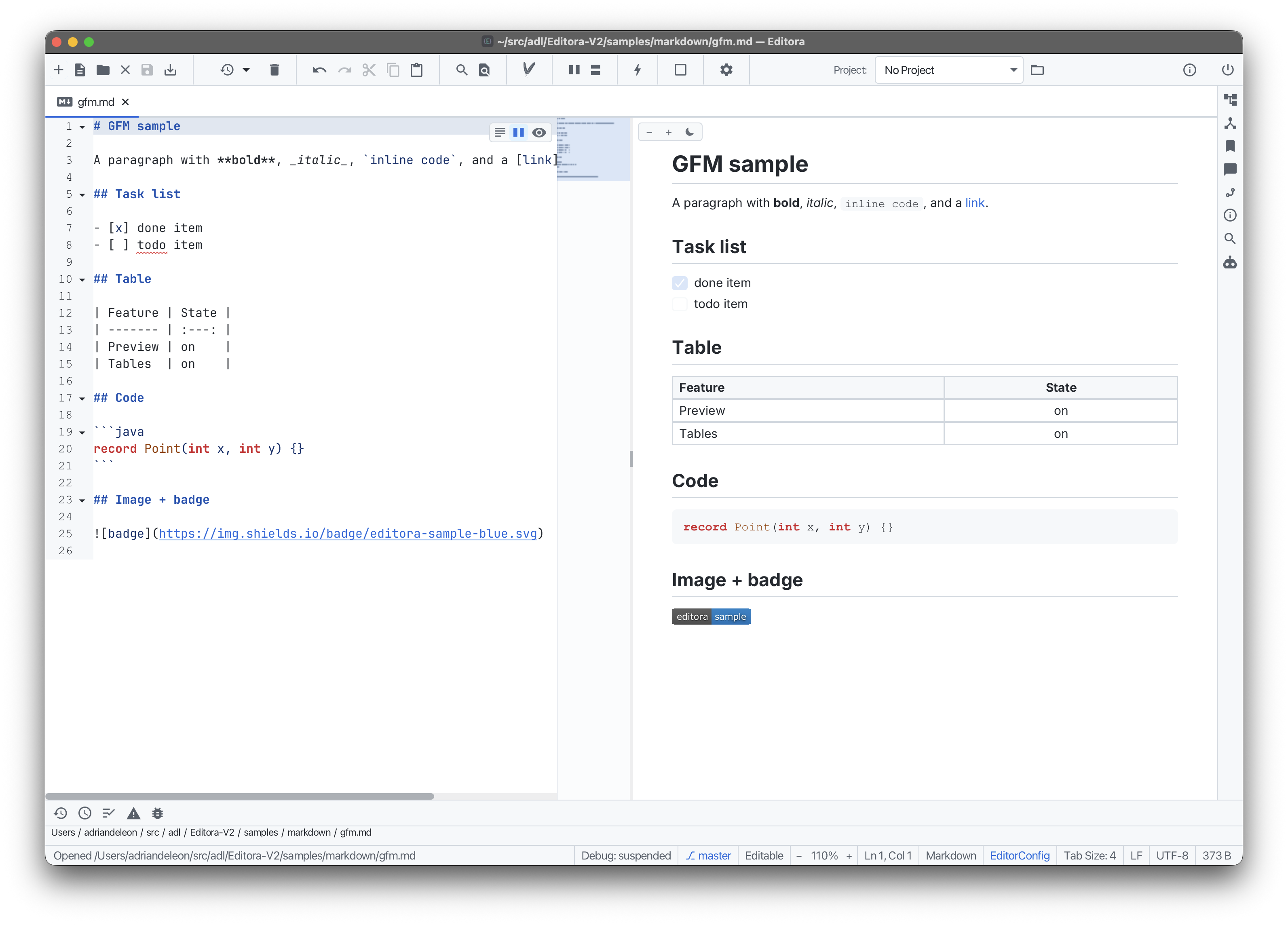
An IntelliJ-style 3-mode view (Editor, Editor + Preview (split), and Preview) via a floating control at the top-right of any Markdown file.
It renders natively (no WebView) from CommonMark + GFM, GitHub-style: real task-list checkboxes, inline-code pills, underlined headings, tables, and images (local and remote, including SVG badges). It updates live as you type, follows the active theme (or its own light/dark toggle), and remembers its mode per file. Extra CommonMark extensions render too: YAML front matter, footnotes, heading anchors, and ++inserted++ text.
Markdown files get a full editing kit:
- Linting with a broad markdownlint rule set, shown as inline squiggles, scrollbar/minimap stripes, and a Markdown Lint tool window, with auto-fix, per-rule config, inline disable comments, and
.markdownlint.jsondiscovery. - LaTeX math: inline
$…$and display$$…$$(on by default). - Image paste & drag-drop into a sibling
assets/folder, and smart link paste to wrap a selection. - Table editing: insert a table, add/delete rows and columns, Tab between cells, and reflow; convert to and from CSV or export the table to Excel/ODF.
- Table of contents and task-list insertion, plus a heading outline in the Structure tool window.
- Export the preview to PDF, HTML, Word (
.docx), or ODF (.odt).
Zoom with the −/+ control or Ctrl+wheel; right-click to copy, export, or print. See the Markdown guide.