
Snippets
Expand VS Code / TextMate templates with tab stops, mirrors, choices, and variables, all from a prefix + Tab. Ships for 30 languages.
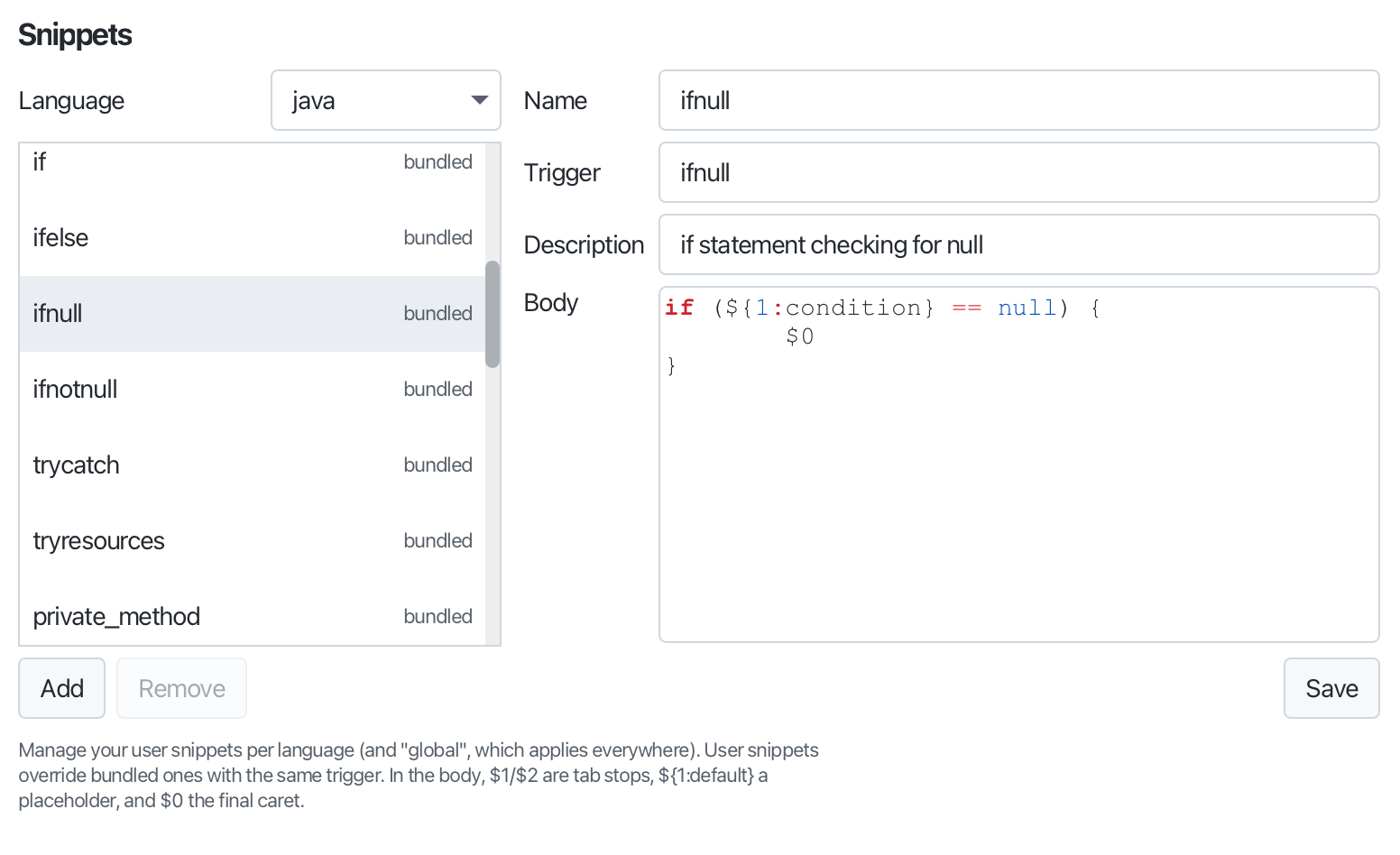
Expand boilerplate with interactive templates. Type a prefix and press Tab, or pick from the Snippet: Insert… list (C-c i).
Placeholders are pre-selected to overtype, Tab / Shift-Tab cycle the fields, mirrors update live, choice fields show a dropdown, and $0 is the final caret. Bodies use the standard VS Code / TextMate syntax, $1, ${1:default}, mirrors, ${1|a,b|} choices, and variables ($TM_FILENAME, $CLIPBOARD, date/time, the selection…).
While a snippet runs its fields are outlined and the status bar shows where you are (“Snippet 2/3”). Tab does not expand inside comments or strings. A trigger typed out in full is expanded by Tab ahead of a dictionary or AI inline suggestion, and leads the completion list when a language server is running.
Snippets ship for 30 languages, and a bundled snippet can be disabled; add your own in ~/.editora/snippets/<language>.json (user snippets override the bundled ones).