
Spell checking
Red wavy underlines with right-click suggestions, Add-to-Dictionary, and Ignore: full text for prose, comments & strings for code, set per file type. Pure-Java Hunspell; English, Spanish, French.
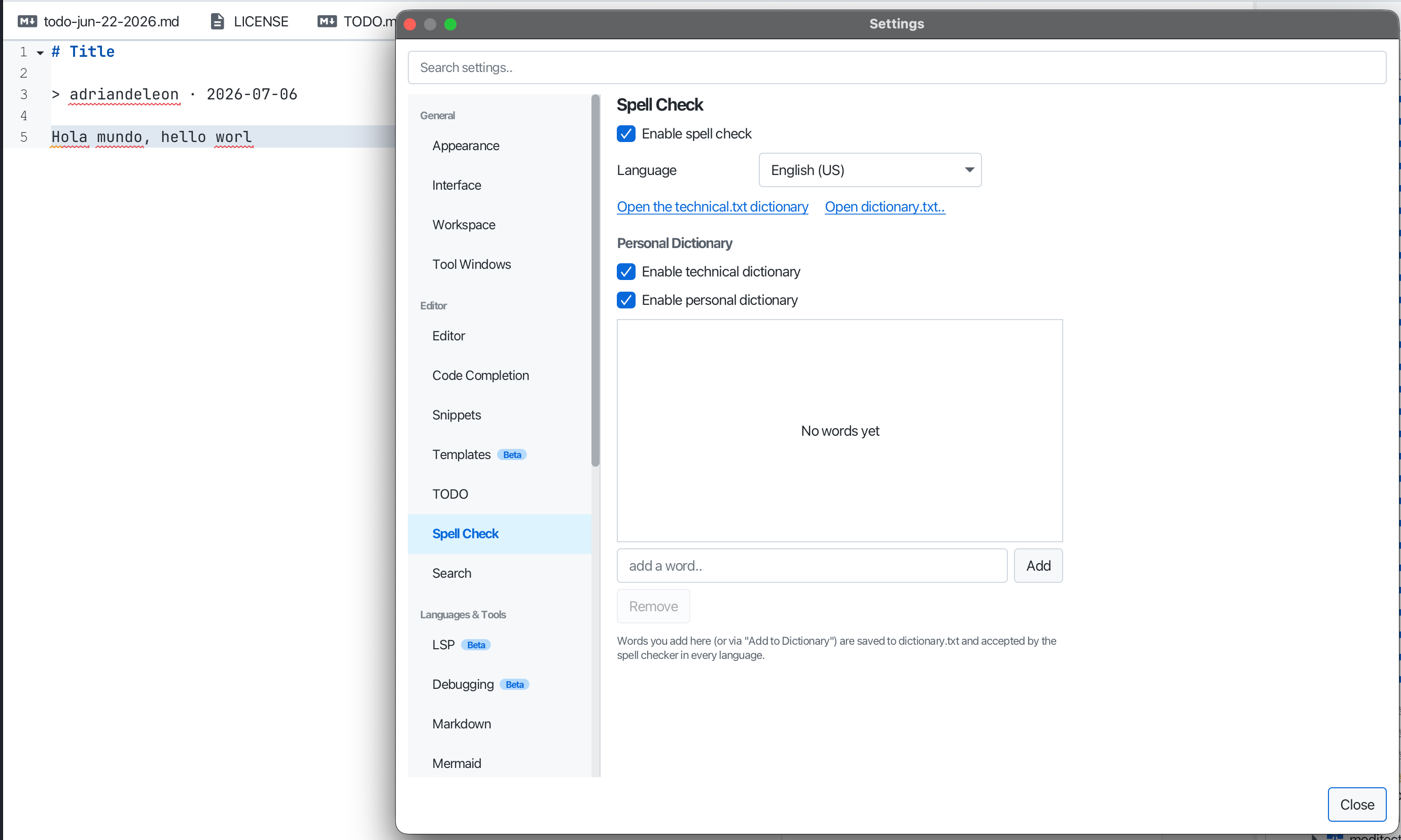
Misspelled words get a red wavy underline; right-click for suggestions (click one to replace), Add to Dictionary, or Ignore. In source files only comments and string literals are checked (identifiers aren’t flagged); plaintext and Markdown are checked in full, as is the text of HTML and Typst documents. Data and configuration formats such as JSON, YAML and TOML are off by default; Settings → Spell Check → File Types sets this per file type.
Commands move to the next or previous misspelling and correct, add or ignore the word at the caret, and the status bar shows the dictionary in use.
It’s powered by Apache Lucene’s pure-Java Hunspell engine, no native dependency. Ships English (en_US, en_GB), Spanish, and French; pick a dictionary per file with Spell Check: Set Language…, or set a default in Settings → Spell Check. Your added words live in dictionary.txt.