
Jump-to popups
Fuzzy-jump to recent files, symbols, open tabs, and tool windows, plus an Emacs find-file-style path finder.
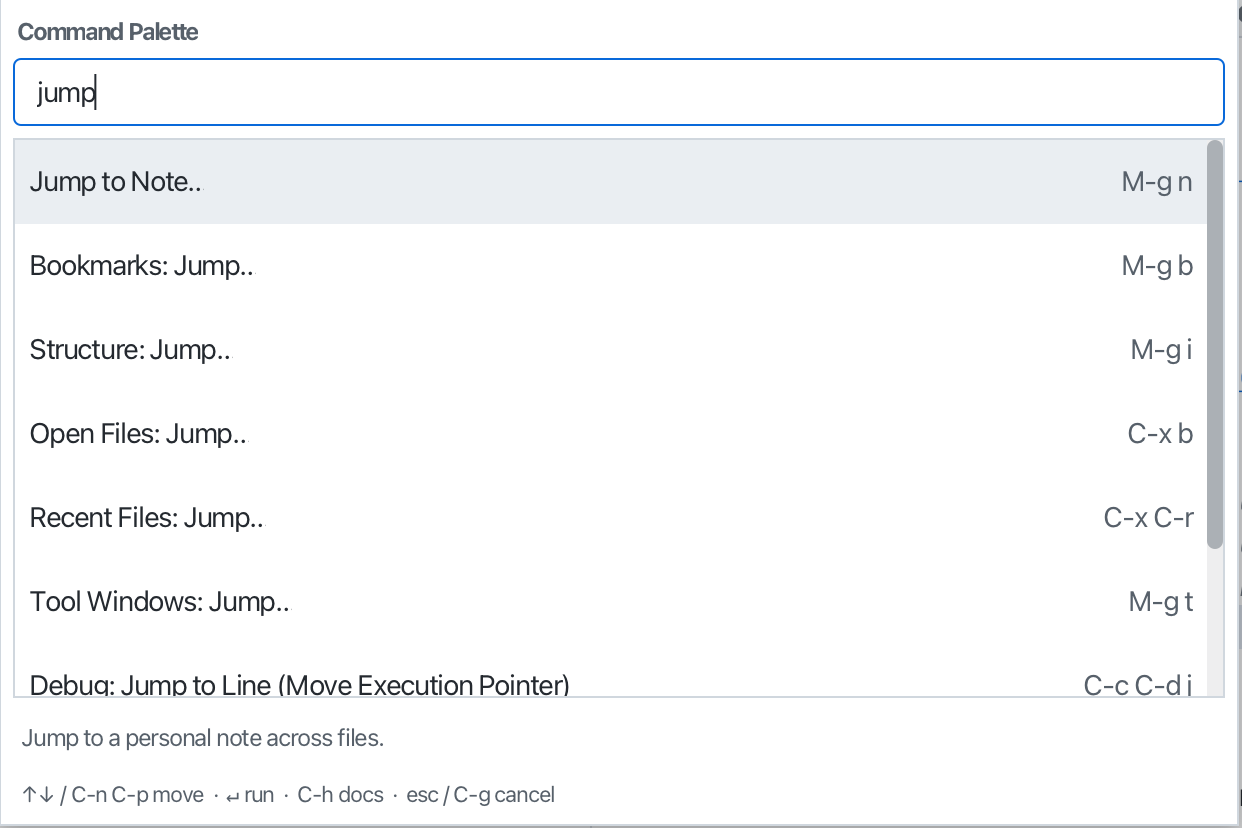
Fuzzy pickers for moving around a project from the keyboard.
- Recent files:
C-x C-r - Symbols / file structure:
M-g i - Open tabs:
C-x b - Tool windows:
M-g t - Bookmarks:
M-g b, Notes:M-g n
There’s also an Emacs find-file-style path finder (C-x C-f) with prefix autocomplete, type and Tab to complete, Enter to descend a folder or open (or create) a file. Every picker shows a footer legend of its navigation keys.
Every one of them ranks what you typed by contiguity, word and camelCase boundaries, and exact case, and emboldens the characters responsible for the match, so mcon finds MainController and the best answer is first. When you don’t know which picker holds something, use Search Everywhere.