
Search Everywhere
One picker over commands, files and symbols. Type the name of the thing instead of first choosing which finder it lives in. A >, # or @ prefix narrows it when you already know.
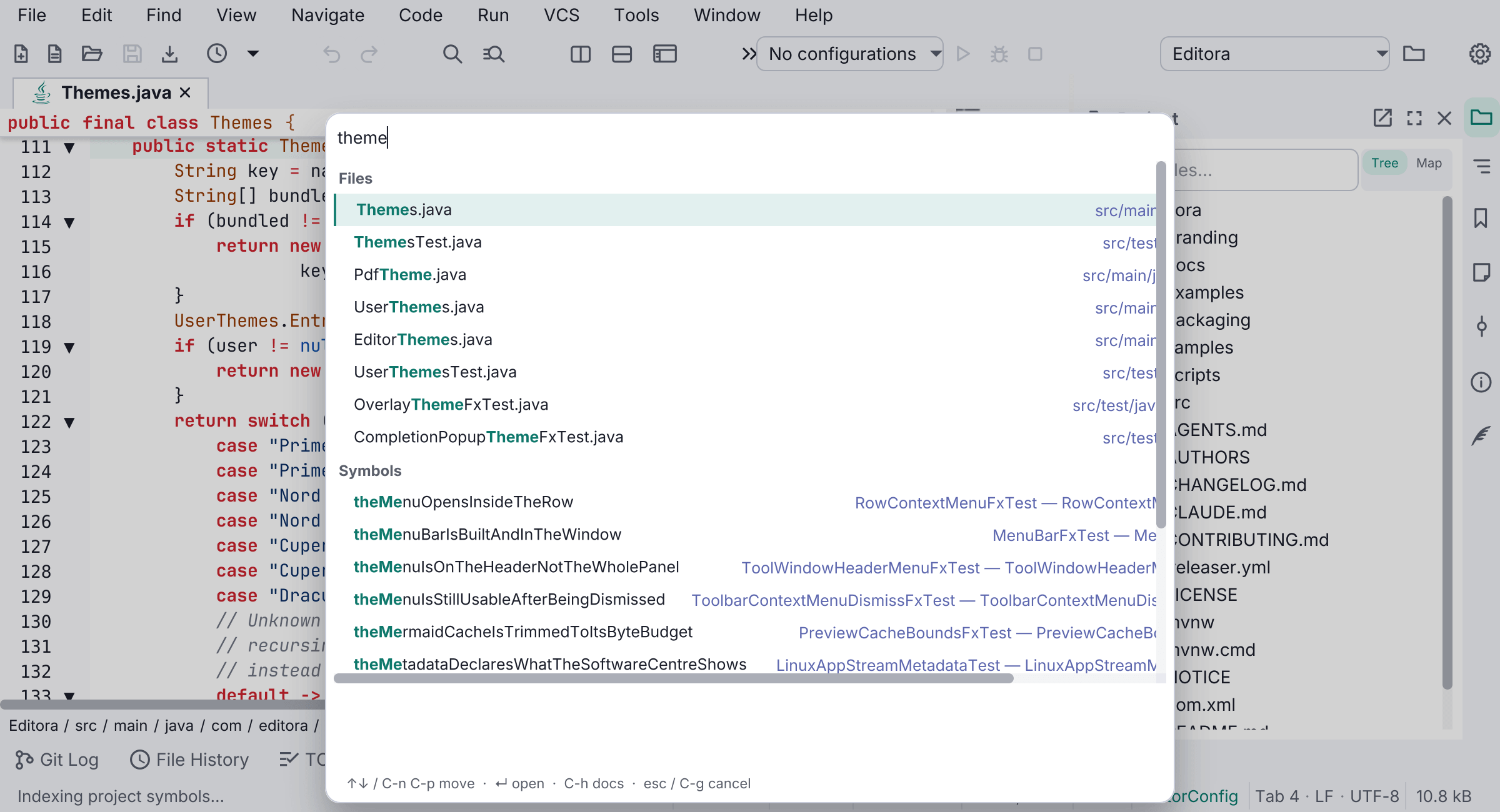
Editora has five pickers on five chords, and each one makes you decide what kind of thing you want before you can start typing its name. Search Everywhere takes the name and searches all of them.
- No prefix: commands, project files and symbols together
>commands only,#files only,@symbols only. These are VS Code’s sigils, chosen because many people already know them.
Results stay grouped by source rather than interleaved on raw score. The sources differ in size by orders of magnitude (tens of thousands of symbols, thousands of files, a few hundred commands), so a flat merge would fill the list from the biggest source and push the other two out. Each source gets a guaranteed share, and the groups are ordered by their best result rather than by how many results they have. When you restrict it to one source, nothing is capped.
It teaches the way the command palette does: an empty query lists every command, a command whose feature is switched off is listed greyed with the setting that would enable it, the highlighted row’s description sits under the list, and C-h opens its documentation.
It is M-S-x in the Emacs keymap and Ctrl/Cmd+Shift+E in the others. It can also take over the palette’s own shortcut from Settings → Interface → Pickers, if you would rather have one chord for all of it.
The symbol half is backed by Editora’s own project symbol index, so it works with no language server installed. See Navigation & search.