
HTTP client
Run .http / .rest requests from a gutter ▶, with environments, variables, request chaining, and a formatted response view. Built on the JDK HTTP client.
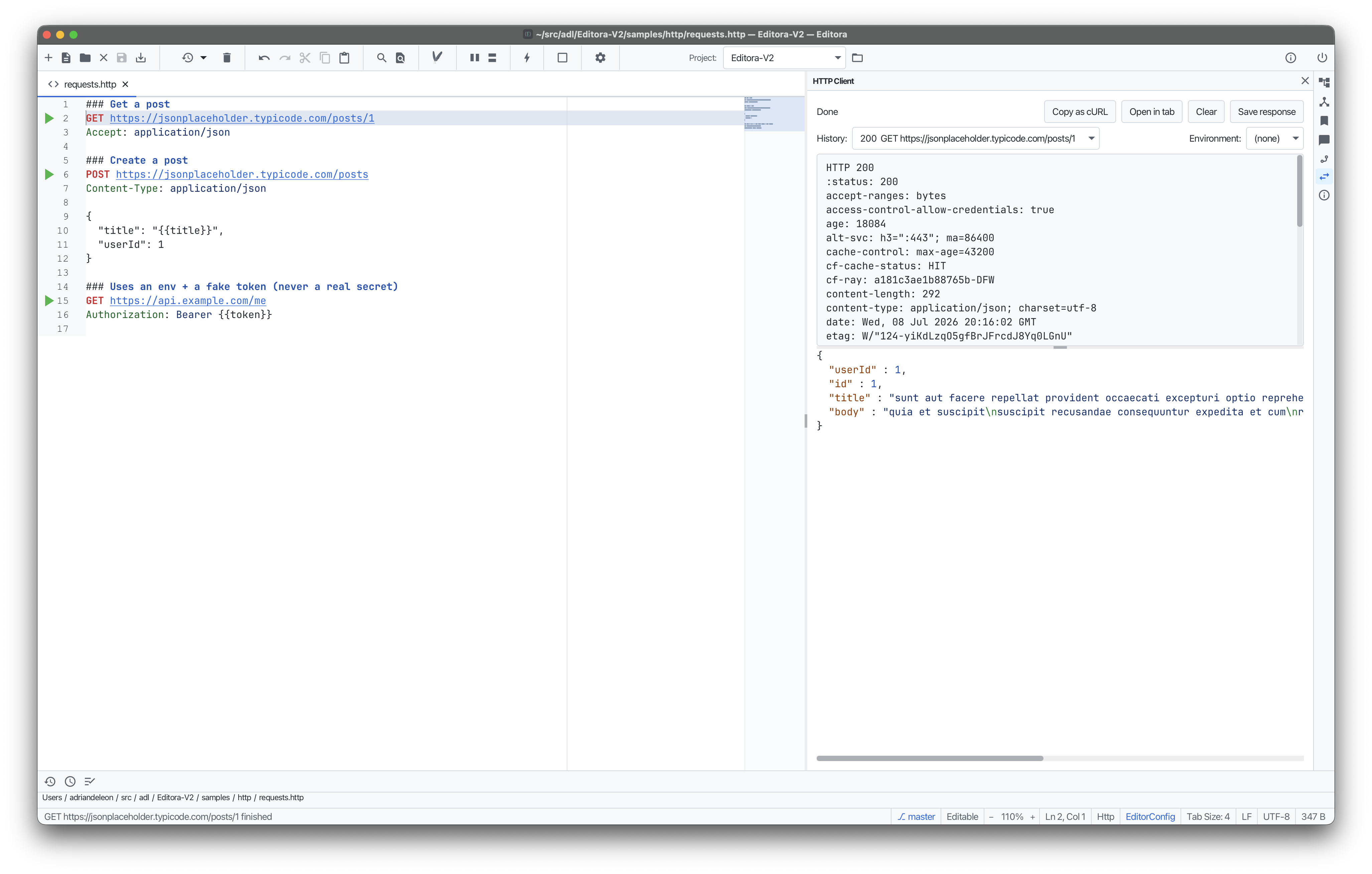
Open a .http or .rest file and click the green ▶ next to a request to send it. No external tool is needed: it uses the JDK’s built-in HTTP client.
Define multiple requests separated by ###. The feature aims to match IntelliJ’s HTTP client: {{var}} / @var substitution, dynamic variables ({{$random.*}}, {{$datetime}} with date math, {{$dotenv.X}}), request chaining that references an earlier response, multipart and external-file bodies, environment files (http-client.env.json with a $shared section) and a picker, and Basic/Digest auth shorthand.
The response is the .http file’s own preview, in the same Editor / Split / Preview view every other rich file type uses, so it sits beside the request that produced it (and the view mode is remembered per file). It shows status, headers, timing, and a pretty-printed, content-type-highlighted body, with Copy as cURL / Import cURL, open-in-editor, and Save-response. Run one request or the whole file. On by default. Toggle it under Settings → Languages & Tools → Web.