
Run configurations
Save how a Java main class, Python or shell script, make target, or named npm script is launched, in a dedicated window, with a before-launch step and a shareable project file.
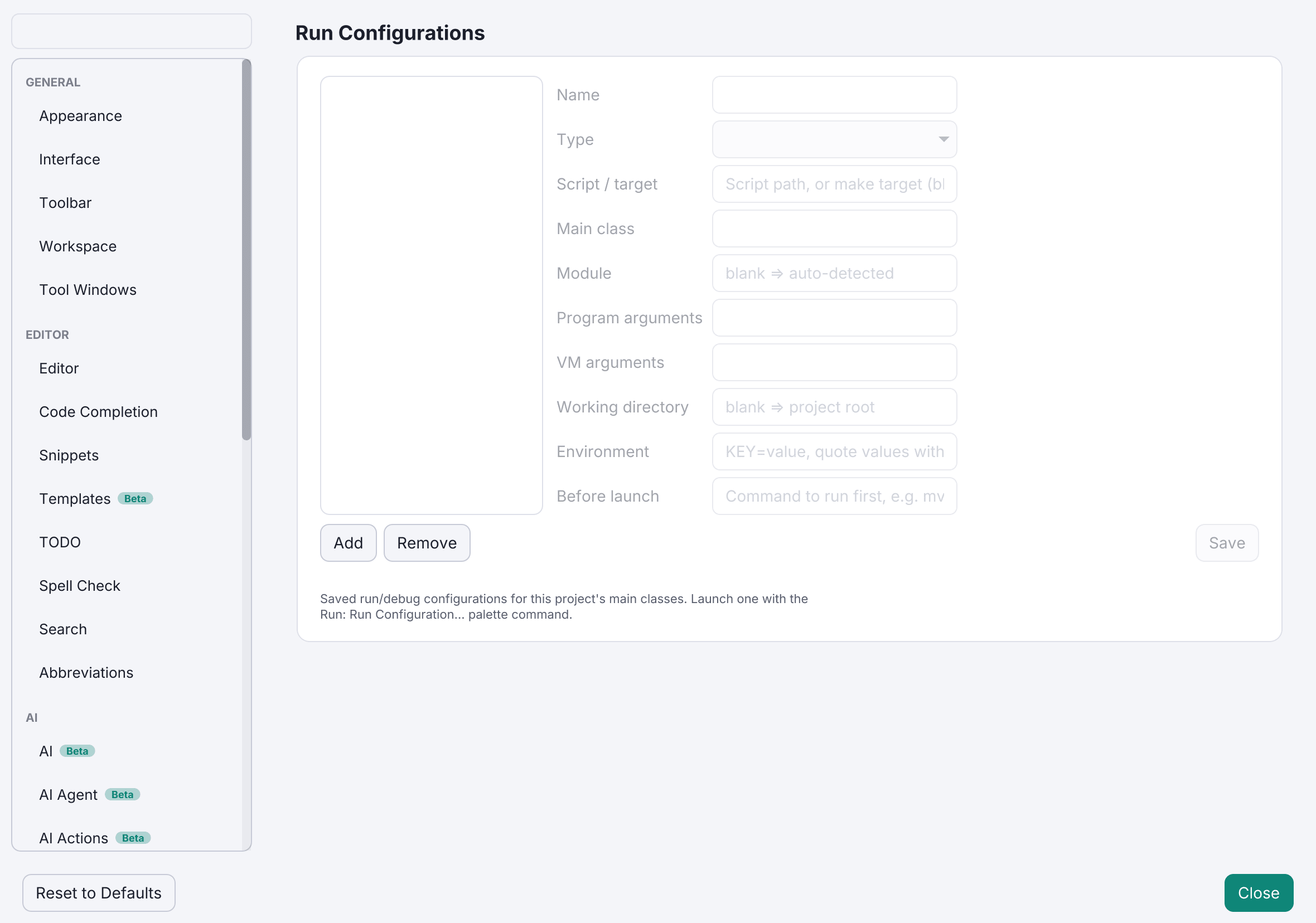
A run configuration saves how something is launched: the main class or script, program and VM arguments, environment variables, an optional JDK override, and a working directory. Pick one in the toolbar and hit Run or Debug, with Stop beside them; the choice is remembered across restarts. Starting it always opens the Run console, and trying again while it is active brings that console back into focus.
Five kinds
Choose a Type in the project/session-scoped Run Configurations window:
- a Java main class (resolved through the language server, or through your Maven/Gradle build)
- a Python script
- a shell script
- a make target
- a named npm script (
npm run, with arguments passed after--)
Script configurations need no project and no language server. Debugging a saved configuration remains Java-only, and says so rather than reporting a confusing Java error; Python and JavaScript files are debugged directly (see Debugging).
A step before the launch
A configuration can name a command to run first, such as a build or a codegen step. A non-zero exit aborts the launch, so a stale binary is never run by accident.
Shareable
Export Configurations to Project writes them to .editora/run-configurations.json inside the project, where they can be committed alongside per-project settings. Import merges them back by name, so importing twice doesn’t duplicate and a colleague’s edit updates the configuration rather than doubling it.
Smaller conveniences
- Each configuration becomes a real command, so it appears in the palette by name and can be given its own keyboard shortcut, the same way saved macros and external tools already work.
- Add prefills from the file you are looking at: the main class from the active Java file (or the one your Gradle build declares), the name from that class, and the cursor in whichever field still needs you.
- The toolbar group only appears where you could launch something, so a project of Markdown notes doesn’t carry a dropdown that can never fill. Anything you have already saved keeps it visible regardless.
- The form enables only the fields the selected type uses, and a disabled field keeps its value.
- Running an incomplete configuration opens its form at the field you need to fill in, rather than naming the problem and leaving you to find it.