
Settings sync Beta
Keeps your snippets, abbreviations, templates and personal dictionary the same on every computer, through a private Git repository you own. Off by default.
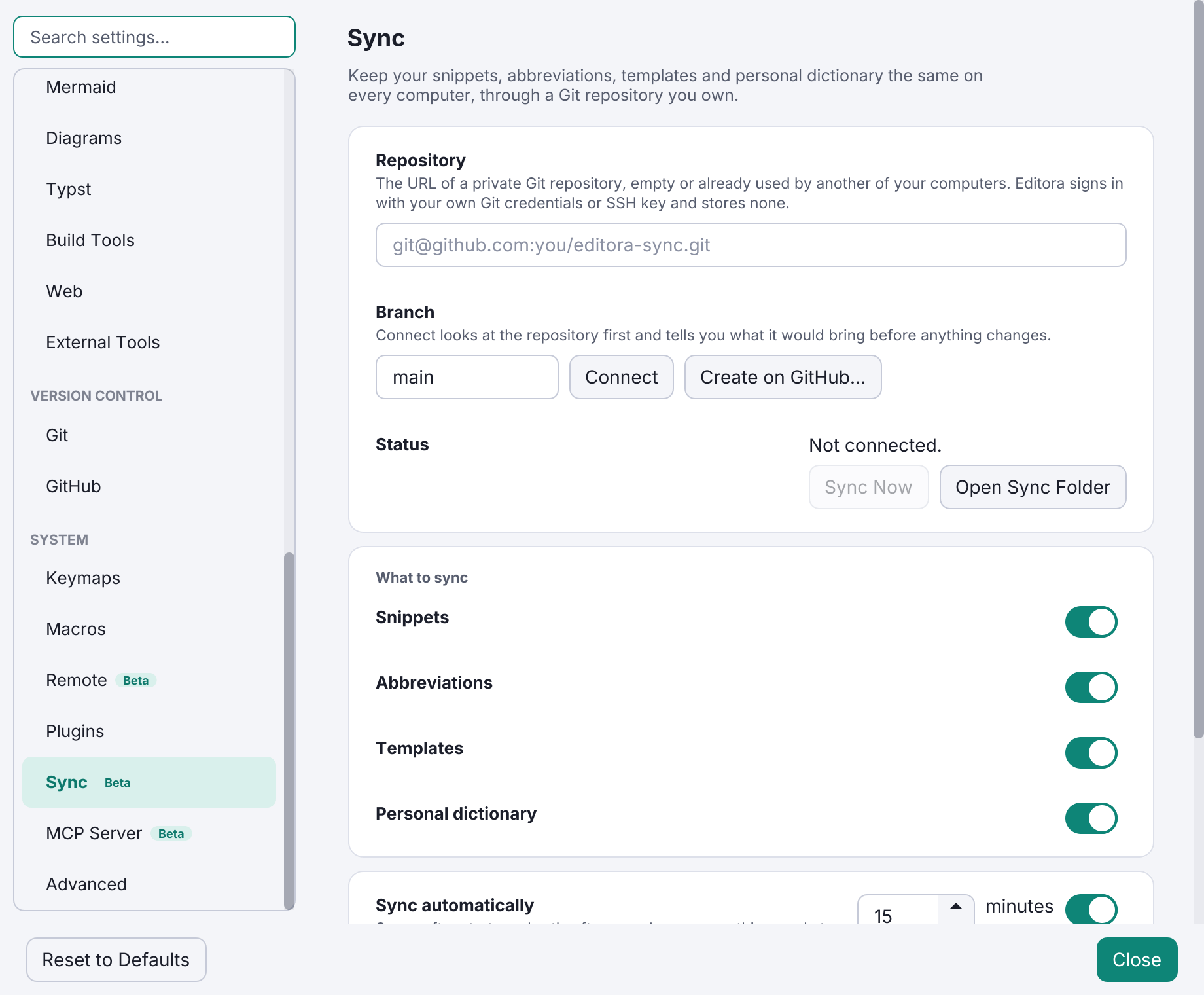
Settings sync keeps your snippets, abbreviations, templates and personal dictionary the same on every computer. It works through a private Git repository you own, with your own Git credentials; Editora stores none and there is no Editora account or server.
- Set it up in Settings → Sync: paste the repository URL, or use Create on GitHub… when
ghis signed in. Connect first shows what the repository would bring. - It syncs after startup, shortly after you change something, and every 15 minutes.
Settings Sync: Sync Nowdoes it on demand. - Changes merge entry by entry, so two computers that each added a snippet keep both. If the same entry changed on two computers, the one that syncs keeps its version and the other stays in the repository history.
- With several accounts in the GitHub CLI, sync finds the one that can read the repository and keeps using it across
gh auth switch; Editora never sees a token. - Files a sync replaces are first copied to a backups folder in the config directory.
- Automatic syncs never prompt. A failing sync shows as “Sync ⚠” in the status bar.
Preferences (settings.json), keymaps, macros and themes are not synced. See the Settings sync guide.