
Simple UI mode
One toggle strips the editor to the essentials, hiding the extra toolbar groups, tool-window stripe, breadcrumb, gutter, and minimap for a calm, minimal surface.
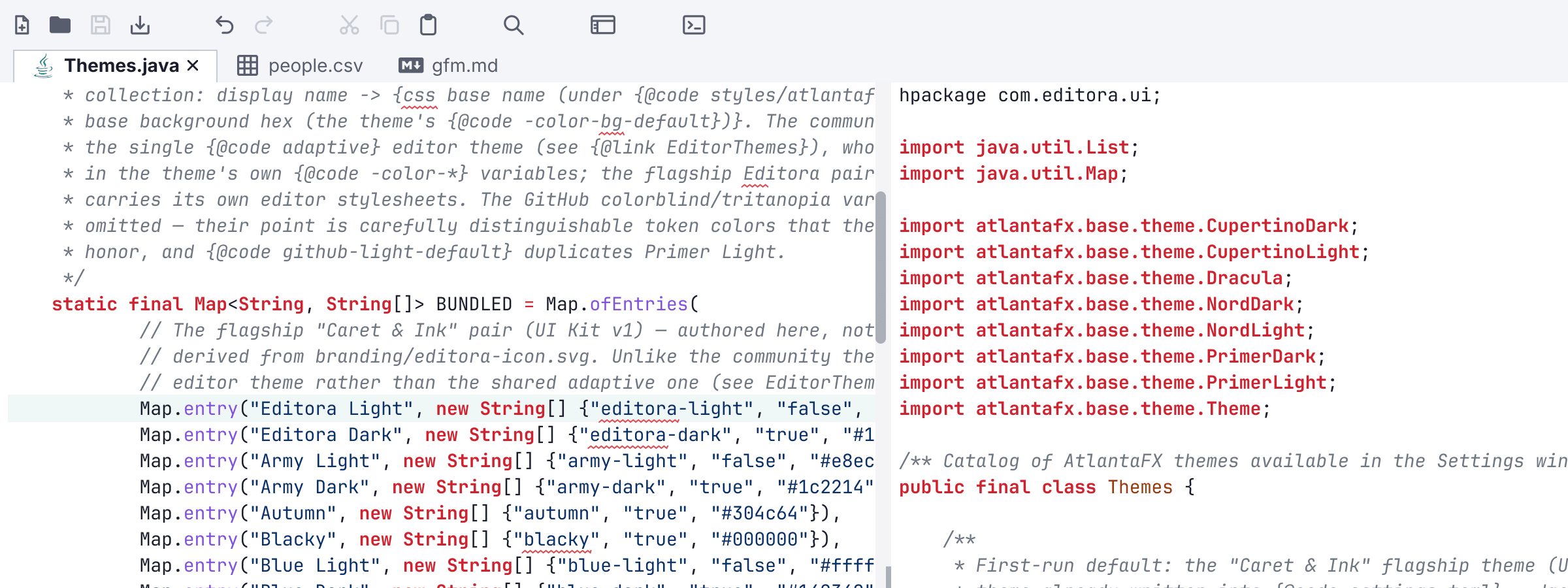
One toggle strips the editor to the essentials (hiding the extra toolbar groups, the tool-window stripe, the breadcrumb, the entire gutter (line numbers, fold chevrons, and all markers), and the minimap) and turns off the heavier features (LSP, debugging, Git, multiple cursors) for a calm, minimal surface.
The menu bar stays, simplified rather than hidden, with File, Edit, Find, View and Help. The menus that go are the ones for features the mode switches off, which would otherwise be entirely greyed out. The Simple mode toggle stays in that reduced View menu, so anyone who entered the mode from there can leave it the same way.
Toggle it from Settings → Interface → Modes, the toolbar, the palette, or the --simple CLI flag (session-only). Toggling off restores everything exactly.
The other three ways to run the editor are Zen mode, Expert mode, and the full IDE.