
Expert mode
A lighter focus mode than Zen: the toolbar, tabs, breadcrumb, and tool stripes go, while line numbers, the minimap, the status bar, and the menu bar stay.
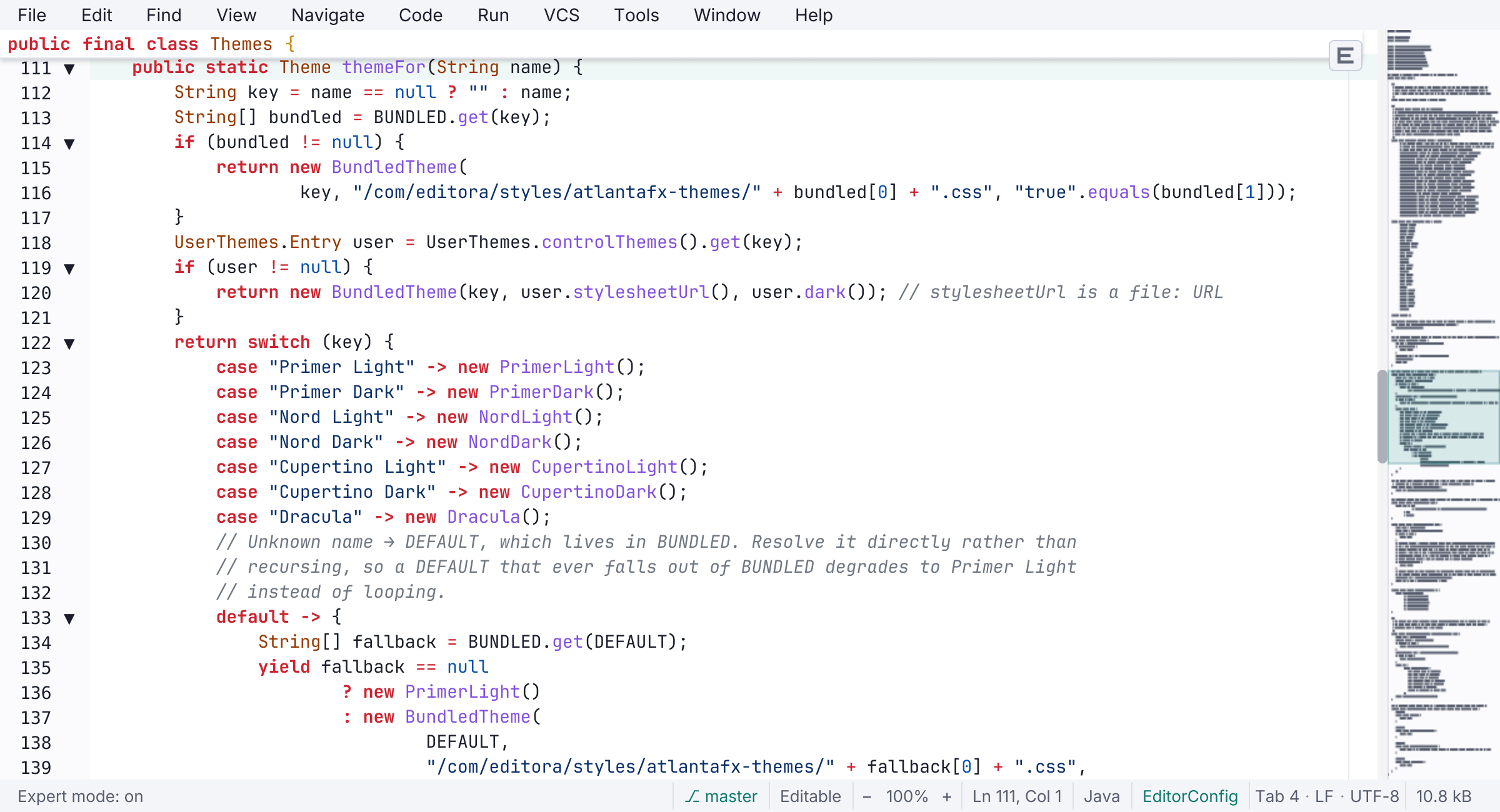
Expert mode removes the window chrome around the editor and keeps the editor itself complete. The toolbar, tab bar, breadcrumb, tool-window stripes, and whitespace guides are hidden. Line numbers, the minimap, the column ruler, the current-line highlight, the status bar, and the menu bar stay.
It suits people who drive the editor from the keyboard and want the room back without losing their bearings in the file. Nothing is switched off, so language servers, Git, and every command keep working.
- Toggle it with
C-c C-ein the Emacs keymap, with View: Toggle Expert Mode from the palette, from Settings → Interface → Modes, or start in it with the--expertflag. - A small floating E button in the corner turns it off again.
- It applies to one window and never changes your saved settings.
- Expert and Zen mode are mutually exclusive: turning one on turns the other off.
The other three ways to run the editor are Zen mode, Simple UI mode, and the full IDE. See also Focus modes in the docs.