
Rust
Rust gets code intelligence from rust-analyzer, runs and tests with Cargo,
and debugs with CodeLLDB.
Language server
Rust’s language server is rust-analyzer. Editora finds it on the PATH or
installs it for you; see language servers.
Running
Run File (file.run: C-c r in the Emacs keymap, Ctrl+Shift+B (⌘⇧B on macOS) in VS Code) runs a Rust file that
has a fn main, from its Cargo package, the nearest Cargo.toml above it. A
file outside a package doesn’t run; the status line says so. Editora saves the
package’s edited Rust files, runs cargo build (cargo build --example name
for a file in examples/) in the package’s folder, then runs the program built
from that file: a src/bin/ program or an example by its own file, otherwise
the package’s main program. The build and the program’s output stream into
the Run window.
A build runs the build.rs scripts and procedural macros of the package and
its dependencies, so the first one in a folder asks you to
trust the folder; declining builds nothing.
File: Run with Arguments… (file.runWithArgs) asks for the program’s
arguments; they are kept for that file and used by every later Run File.
Tests
Run Test at Caret (test.runAtCaret) in a #[test] function (or
#[tokio::test] and the like) builds the test binary (cargo test --no-run,
with --test name for an integration test in tests/) and runs that test
alone, by its path, exactly. Its output goes to the Run window.
Run Tests (test.run) in a Cargo project runs cargo test and fills the
Test Results window, where failed tests can be
run again. Debugging a test is described under Debugging.
Debugging
Rust is debugged with CodeLLDB, LLDB
with Rust’s formatters, as VS Code debugs it with rust-analyzer. A Rust file is
debugged from its Cargo package, the nearest Cargo.toml above it; outside a
package, Debug says so. Debug: Start / Continue (debug.start:
C-c C-d d in the Emacs keymap, F5 in the VS Code, CUA and Sublime Text
keymaps, Shift+F9 (⌃D on macOS) in the IntelliJ IDEA keymap), or Debug File in the editor’s right-click menu, debugs, depending
on where the caret is:
- in a
#[test]function (or#[tokio::test]and the like): that test alone, in its test binary. Debug Test at Caret (test.debugAtCaret) does the same. - in an integration test file (
tests/*.rs), outside a test: all its tests. - in a file of
examples/: that example. - anywhere else: the package’s program. In a library with no program, the file’s tests.
Cargo builds first, in the Debug console, after Editora saves the package’s
edited Rust files. A build runs the build.rs scripts and procedural macros of
the package and its dependencies, so the first one in a folder asks you to
trust the folder, as a Cargo task does;
declining builds nothing. Stop ends the build, and a build that fails launches
nothing. CodeLLDB then debugs the program or test binary Cargo built, with the
arguments set by File: Run with Arguments…. Restart builds and runs
the same program or test again.
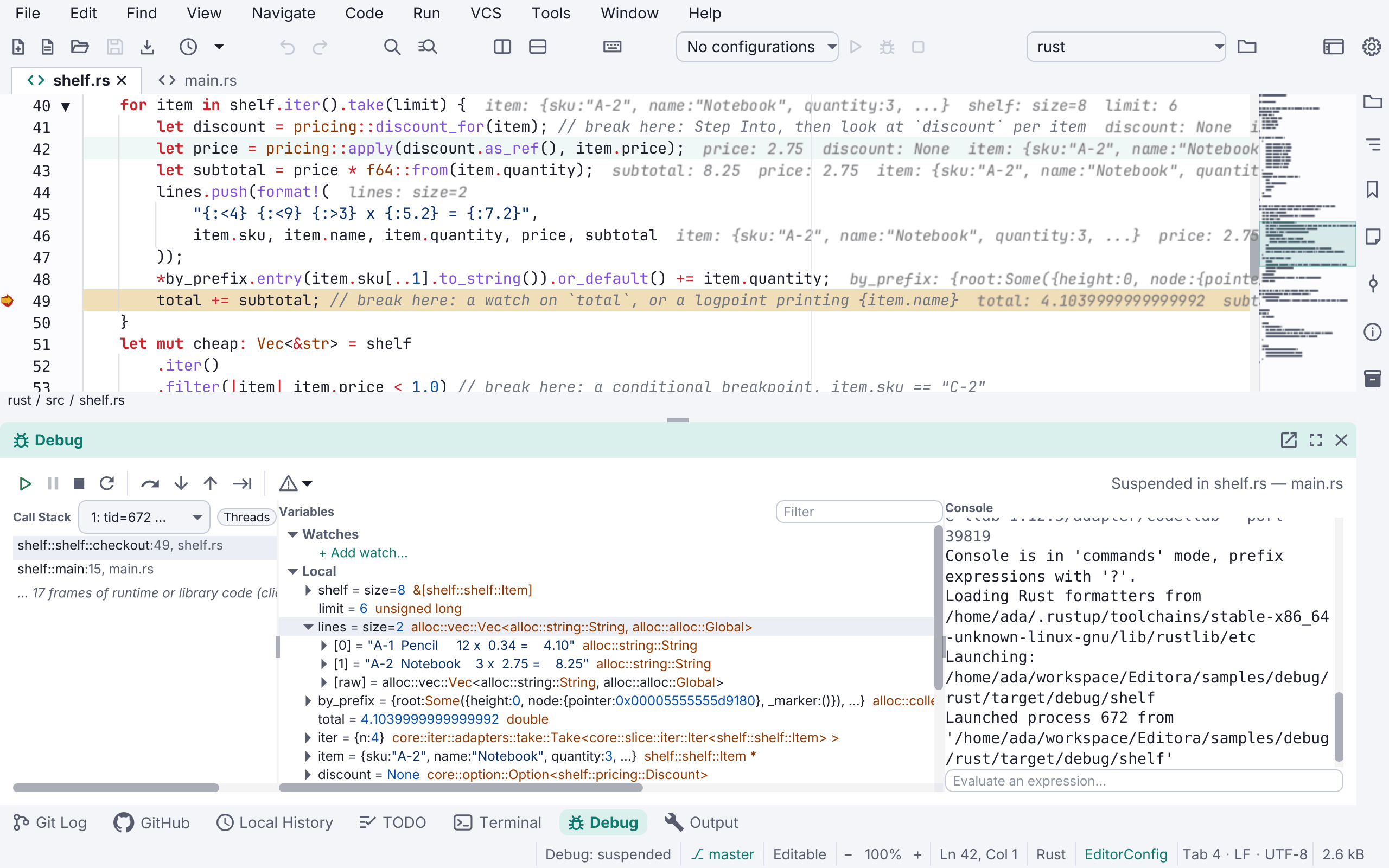
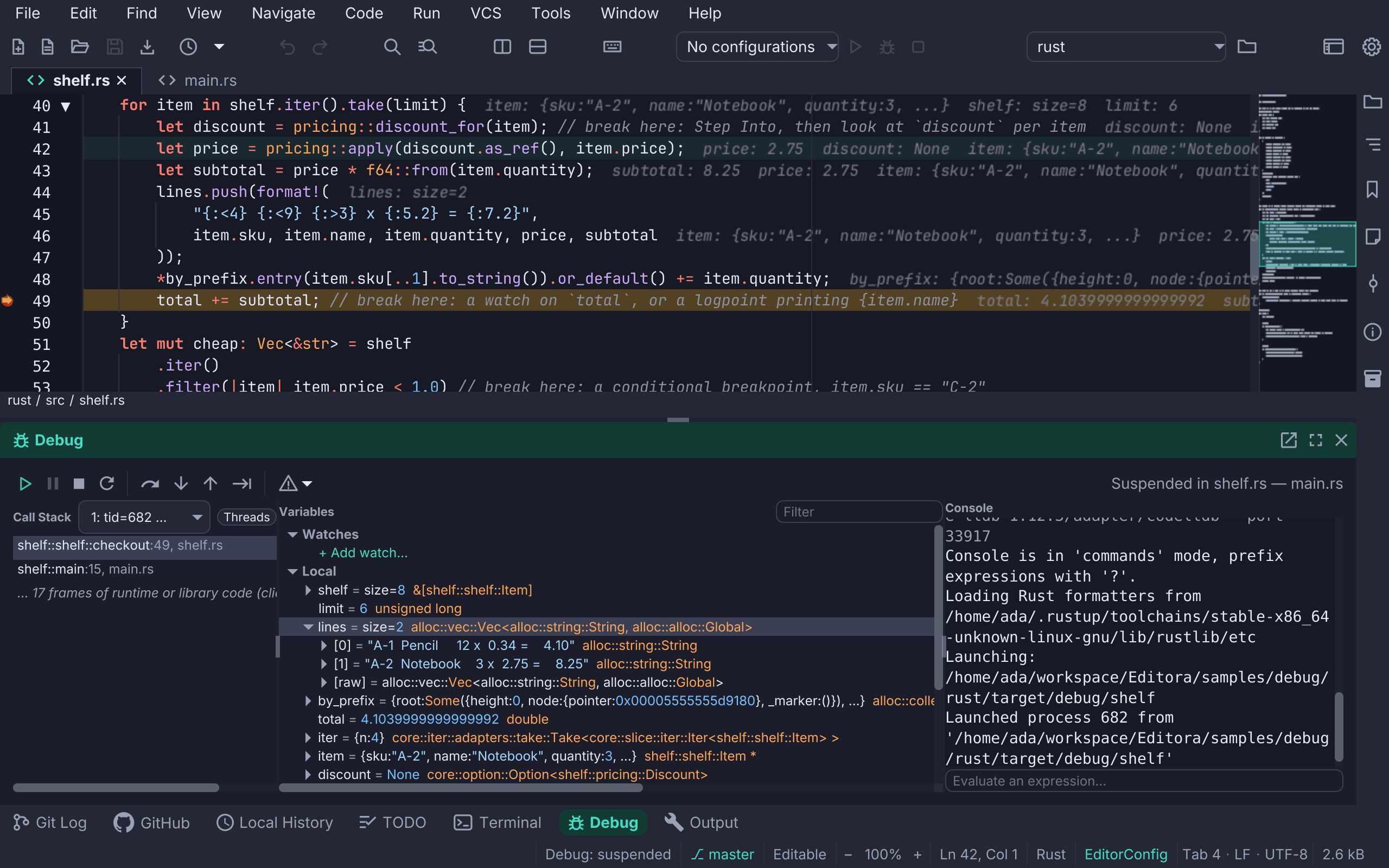
- Values show as Rust values: a
Stringor a&strreads as its text, and aVecor aHashMapunfolds to its items. - A panic stops the program where it happened: the Rust: on panic exception breakpoint is on by default.
- Breakpoints take conditions, hit counts and log messages, and stepping, Watches and the Threads view work.
- With program input on, Editora starts the program for CodeLLDB, so the program reads lines typed in the Debug console.
- The Disassembly and Memory views show the program’s machine code and memory, and step by instruction.
Attach to Process attaches CodeLLDB to a Rust program
that is already running, on Linux, when it was built with debug information.
Stop leaves that program running.
Attach to Remote Program debugs a
Rust program under gdbserver on another machine or in a container.
Open Core Dump
opens the core a crashed Rust program left in CodeLLDB.
Installing CodeLLDB
CodeLLDB isn’t bundled. Editora finds it as set on the Rust, C and C++
(CodeLLDB) card of Settings → Debugging (the codelldb program, or the
folder of an unpacked CodeLLDB extension), else in its own install, else in
VS Code’s CodeLLDB extension (vadimcn.vscode-lldb), else on the PATH. The
card’s Install… downloads CodeLLDB 1.12.3, the release tested with Editora,
for Linux, macOS or Windows, checks its SHA-256 checksum, and unpacks it into
your config folder. Cargo and Rust come from rustup; Editora doesn’t install
them. The card’s switch, Enable Rust debugging (CodeLLDB), is on by
default, and the Doctor checks for CodeLLDB.