
CSV & TSV support
Rainbow per-column coloring, a field readout, and an editable CSV grid with sort/filter, print, and export to PDF/Excel/ODF, plus align/shrink and Markdown-table interop.
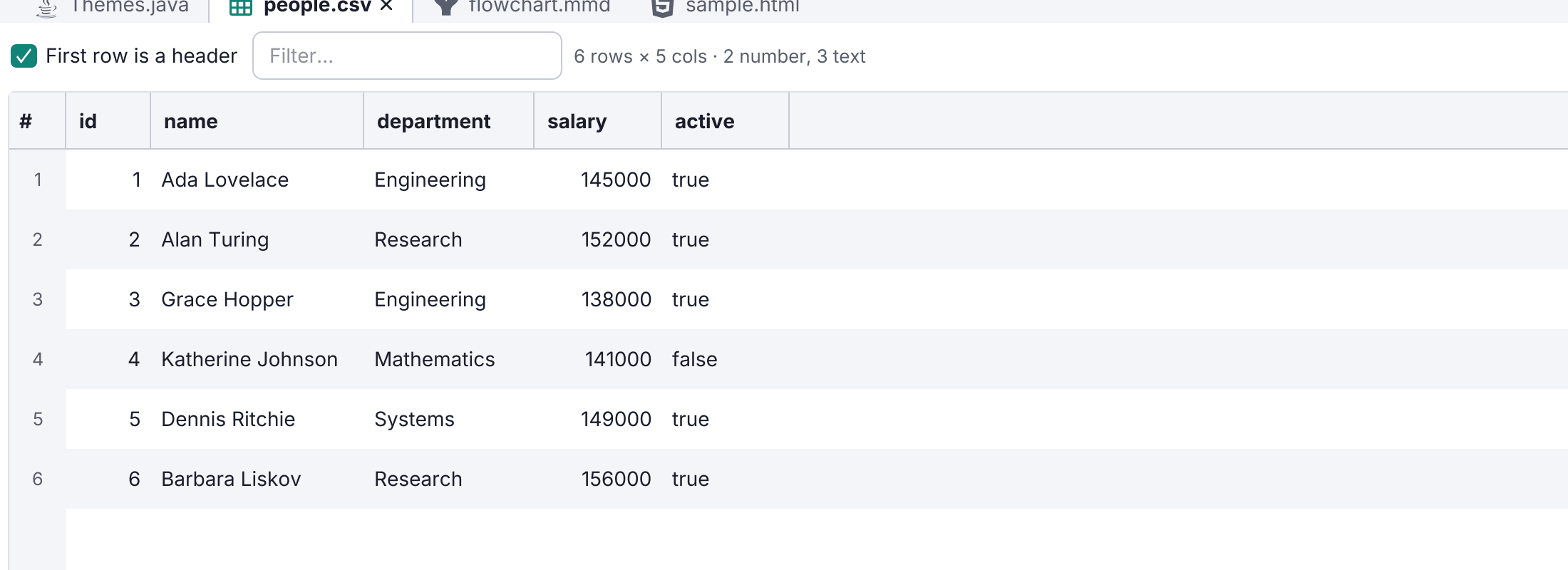
.csv and .tsv files get spreadsheet-style tooling.
- Rainbow columns: each column is colored distinctly in the editor (cycling every eight), so rows line up at a glance. On by default.
- Field readout: the status bar shows Field N of M for the caret’s column.
- CSV grid: the file as a spreadsheet in its preview, with content-fit columns, a filter box, column sort, inconsistent-row highlighting, editable cells and headers, and a right-click export to PDF / Print / Excel (
.xlsx) / ODF (.ods). These output what the grid shows: its visible rows, in the displayed order. - Align / shrink: CSV: Align Columns pads fields so delimiters line up in the editor; CSV: Shrink Columns reverses it. Both preserve quoted fields.
- Markdown interop: CSV: Copy as Markdown Table, and from a Markdown table, export to CSV/Excel/ODF or convert to and from CSV.
It builds on proper CSV/TSV syntax highlighting. Toggle rainbow and the grid in Settings → Editor → CSV.