
Full IDE
The default layout: menu bar, toolbar, tabs, tool windows, gutter, minimap, and status bar, with every feature available.
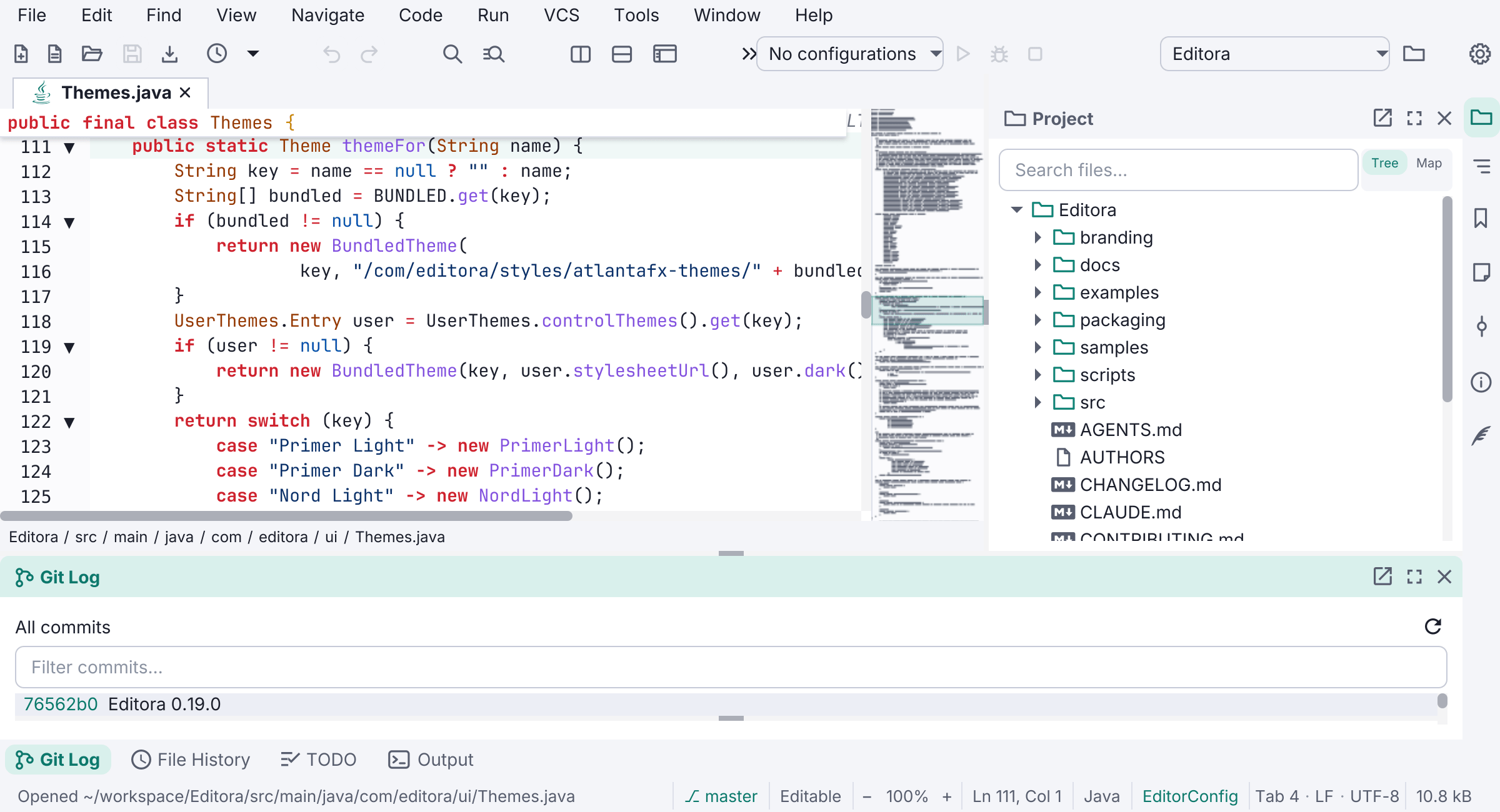
The full IDE is the layout Editora starts in. Nothing is hidden: the menu bar, toolbar, tab bar, breadcrumb, gutter, minimap, and status bar are all on screen, and tool windows such as Project, Git Log, TODO, and Output dock around the editor.
Some features work as soon as you open a folder, and some wait for you to switch them on:
- Available from the start: Git and GitHub (when
gitandghare installed), build tools, previews, projects, and Local History. - Switched on in Settings (both Beta): language servers and debugging.
Every piece of the interface can be shown or hidden on its own from the View menu or Settings → Interface. For a whole-window change, use one of the other three ways to run the editor: Zen mode and Expert mode hide parts of the interface and leave every feature running, and Simple UI mode hides more and also switches the heavier features off.