
TODO highlighting
Configurable regex patterns (TODO, FIXME, and your own) are highlighted in the editor and collected in a TODO tool window, with scrollbar and minimap stripes.
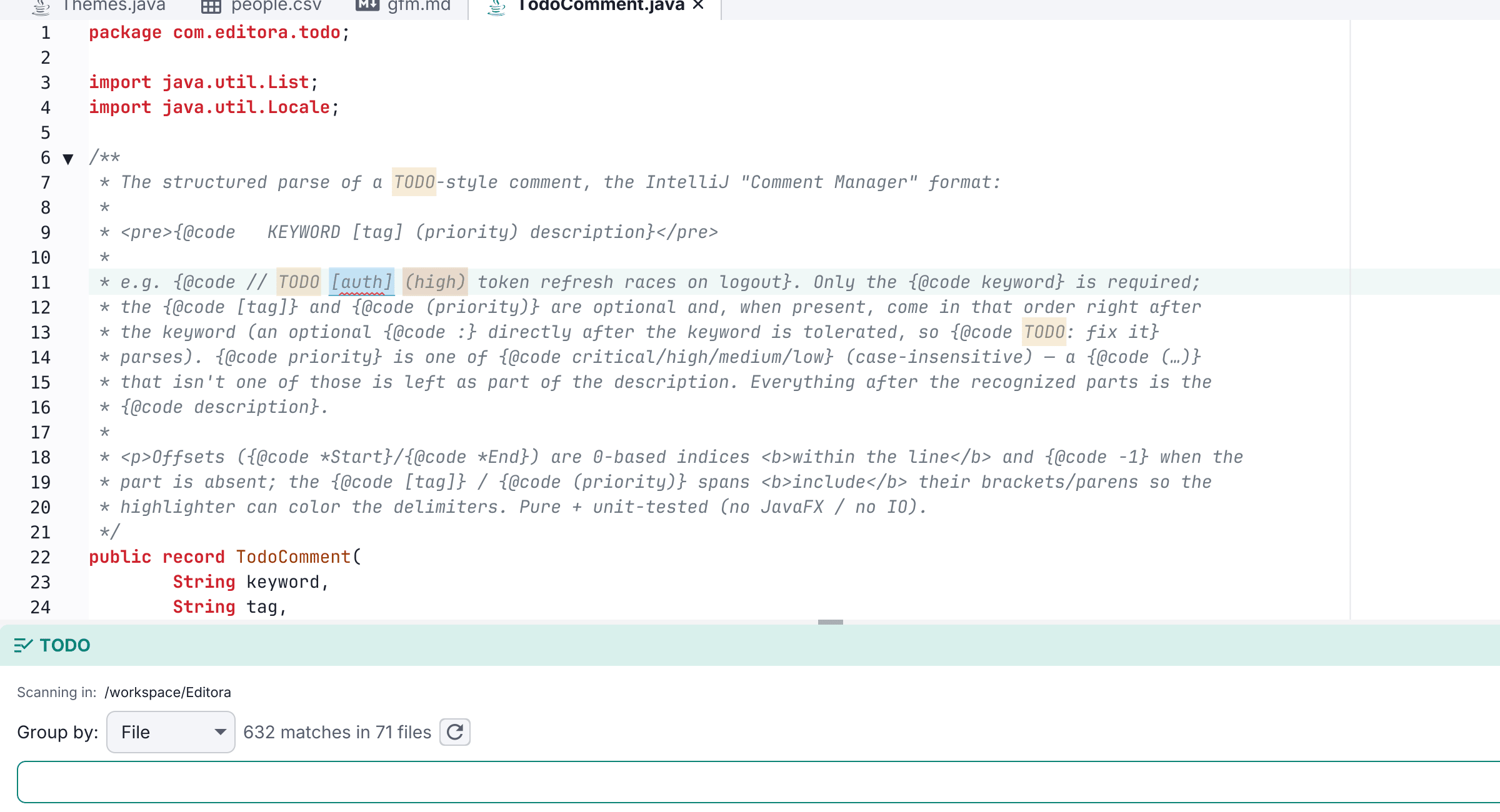
Editora highlights TODO / FIXME-style patterns everywhere they appear and collects them in a TODO tool window (M-g o).
- Matches are highlighted inline and listed in the tool window, grouped by file. It scans the open project’s tree when a project is open, else the open files; double-click a result to jump.
- Matches also show as overview stripes over the scrollbar and on the minimap edge, each in its pattern’s color. Click to jump, hover for the line.
- Jump between matches in the active file with
M-g ]/M-g [(todo.next/todo.previous), wrapping around. - Patterns are configurable in Settings → TODO → TODO Highlighting: name, regex, a color picker, case sensitivity, and enabled. TODO and FIXME ship by default.
On by default. Highlighting runs off the UI thread and is debounced; the project scan is lazy. See the TODO highlighting guide.