
Doctor
A health screen for every external tool Editora can use: what was found, which version, where it lives, what's only half-configured, and what's missing, with an Install… button where Editora can fetch it for you.
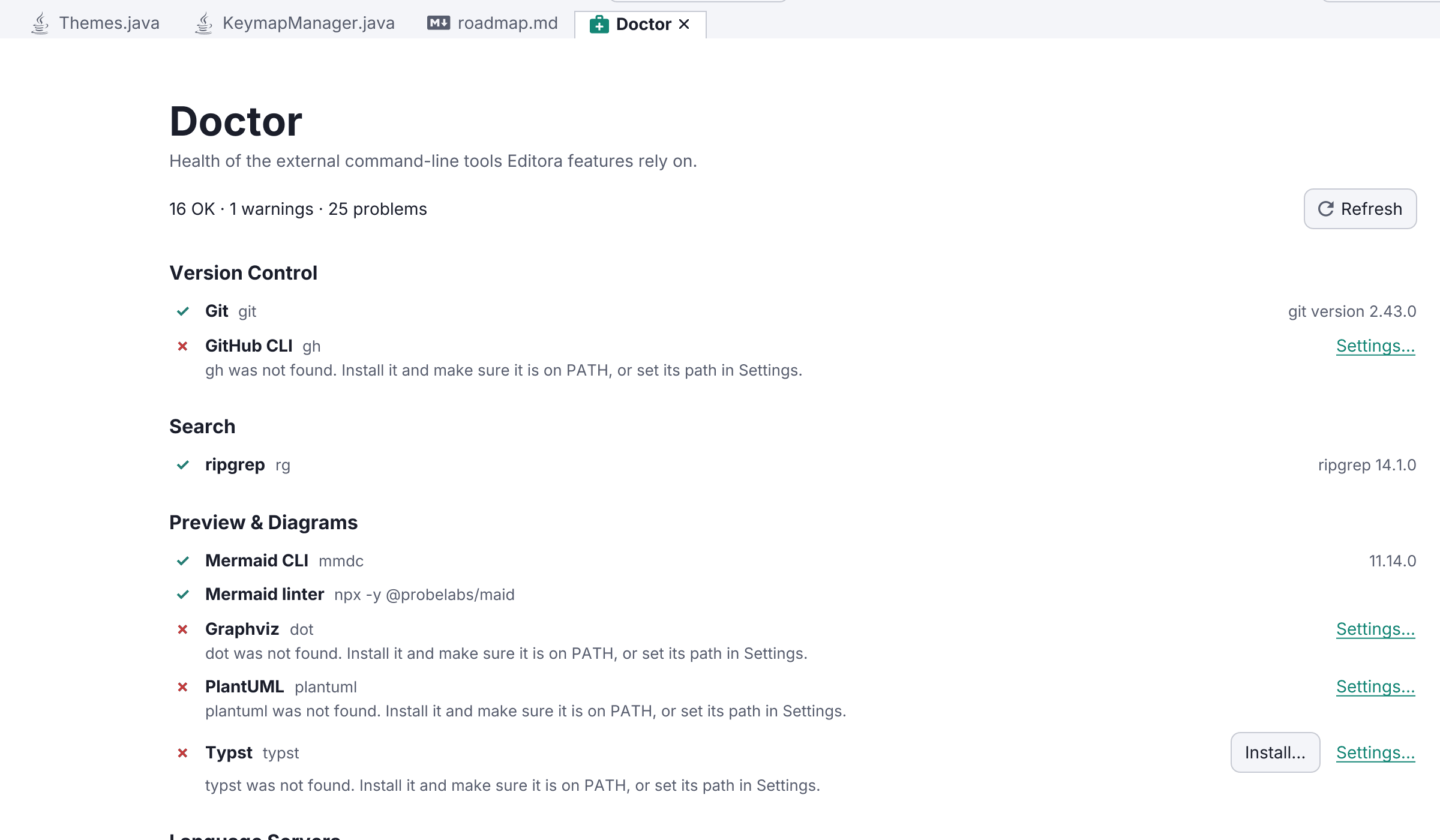
Editora leans on the tools already on your machine rather than bundling its own copies, so Doctor tells you exactly what it found. Run it from the palette with view.doctor, or from the Welcome page.
Every integration gets a row, grouped by area:
- Version control:
git, andghfor pull requests, issues, and CI runs. - Search:
ripgrep, which accelerates Find in Files (the built-in walker is used when it’s absent). - Language servers: one row per enabled server, showing the resolved path.
- Debugging: the Java debug plugin,
debugpy, andjs-debug. - Preview & diagrams:
mmdcandmaidfor Mermaid,dotandplantuml, andtypst. - Run & build: the JDK used to run a file, plus
python3,bash,make, and the build tools. - System: the browsers available for HTML preview, and the installer prerequisites.
Each row is green (found, with its version and path), amber (found but not usable yet, like a gh that isn’t signed in or a JDK too old to run a file), red (missing), or grey (the feature is switched off, so nothing is probed). A missing tool that Editora knows how to fetch gets an Install… button right in the row, and a Settings… link jumps to the page that configures it.
Probes run fresh each time, off the UI thread, so Doctor reflects the machine as it is now rather than a cached answer from startup, and the results re-check live after an install — no restart.